This guide shows how to add the Girlfriend Addon and Naruto Mod for Minecraft PE. Follow the steps below to install them correctly.
First, download the file from the link below:
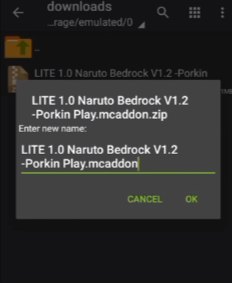
Next, install the ZArchiver app from the Google Play Store. Open ZArchiver, navigate to the downloaded file in your Downloads folder, press and hold the file for two seconds, then select Rename. Remove the .zip extension and save the file.
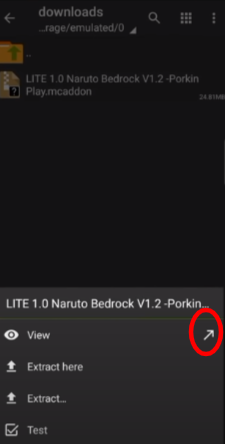
After saving, refresh the folder, click the file, and select the arrow near the View option.
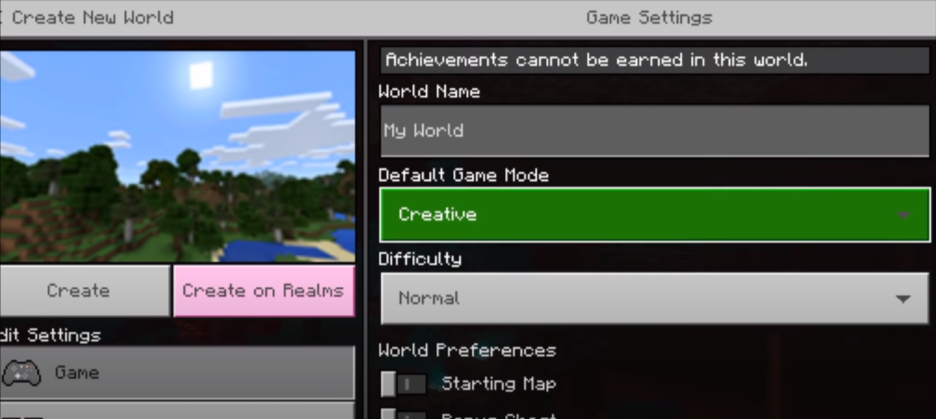
Launch Minecraft, click Play, and create a new world. Set the game mode to Creative, as shown below.
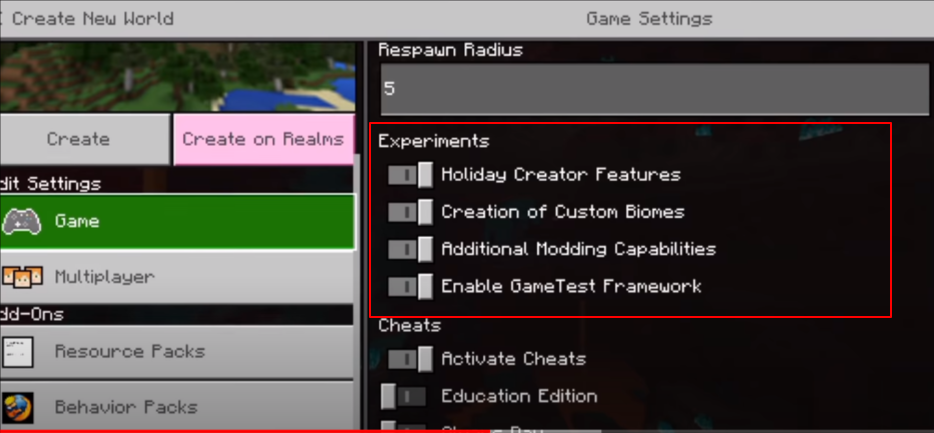
Choose Flat for the world type, or select Normal for a standard world. Enable all options under Experiments, as shown below.
Go to the Resource Packs menu, navigate to My Packs, and activate the Naruto Bedrock pack.

Next, go to the Behavior Pack menu and activate the Naruto Bedrock pack there as well.
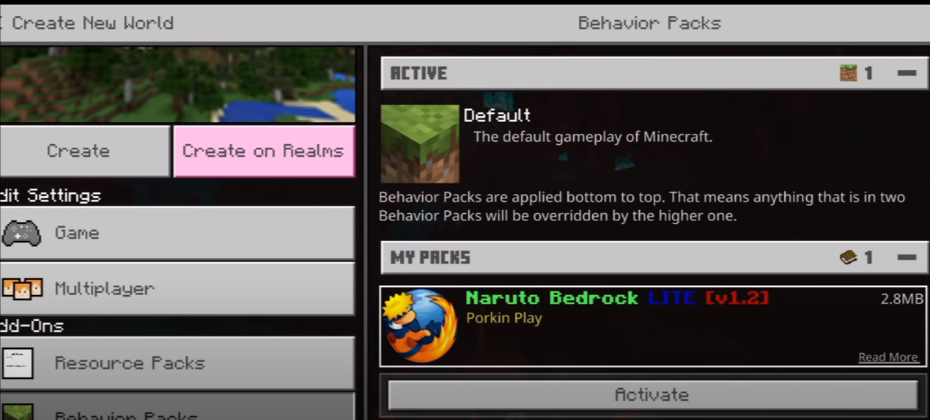
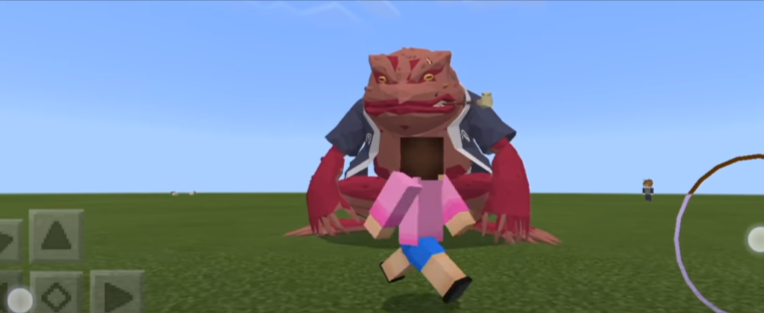
Click Create and wait for your world to load. You will see all the modded items spawned in your world, including monsters.
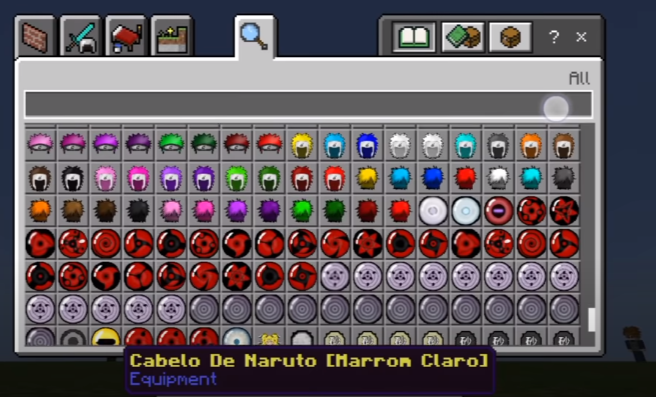
To change outfits, open your inventory and scroll through the available hairstyles, outfits, and characters. Equip any item from the inventory.
You can add the girl character from the inventory.

You can also change her outfit using the inventory options.