This guide will show you how to get more runs on Empress’s release of Red Dead Redemption 2. First, you need to download two pieces of software to fix this.
- First, download ScriptHook and Lenny’s Simple Trainer 14.1. After that, open ScriptHook and extract the rdr2.dll file.
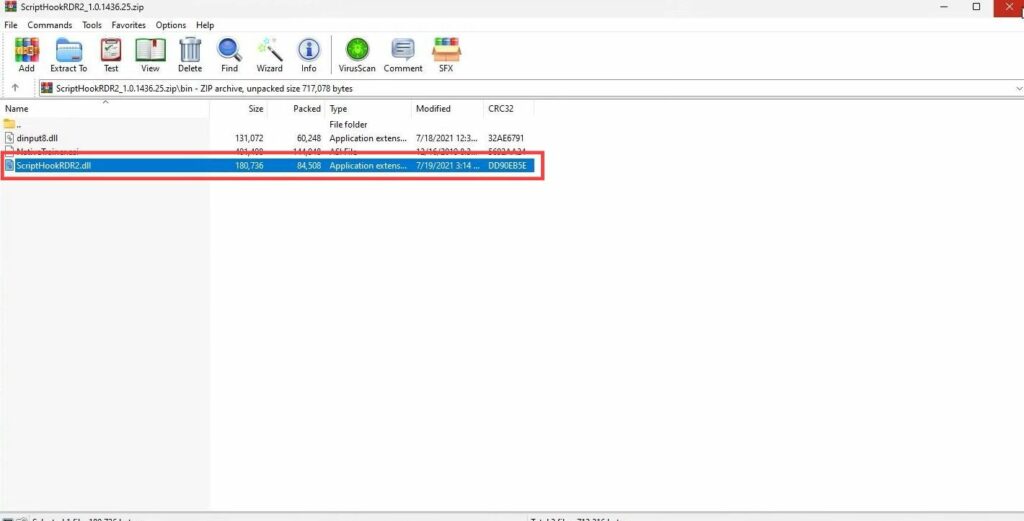
- Open the RDR 2 game directory and copy the ScriptHook and version.dll files into it.
- For the LML part, open the lml-rdr-beta folder and navigate to the mod loader folder. Select all files except the “Place all this in the” file and paste them into the game directory.
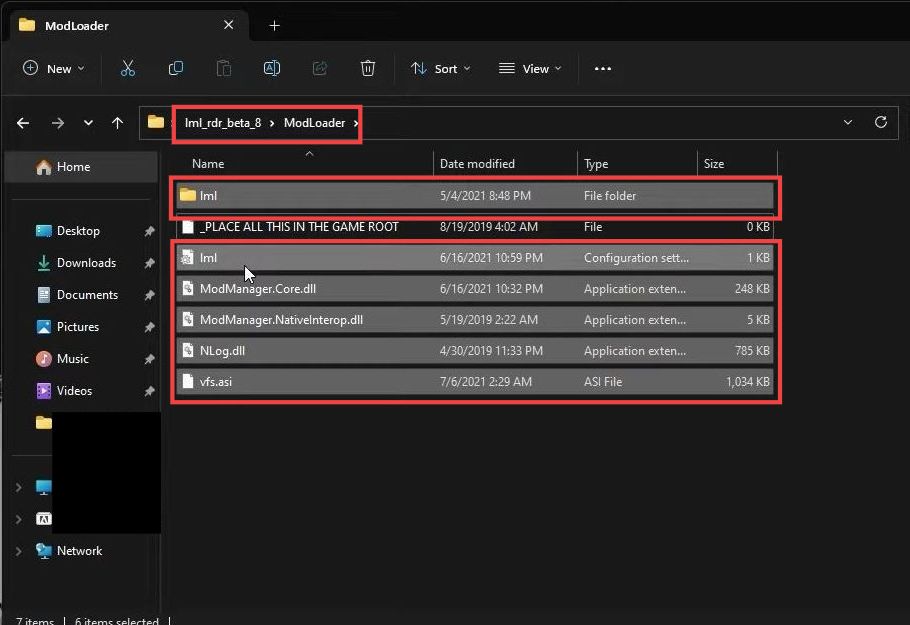
- Next, copy the Mod Manager folder to your desktop. Open the Mod Manager folder and double-click the ModManager.ui file.
- Click the Settings icon, then click the Browse button and select your game directory. After that, click the Select Folder button.
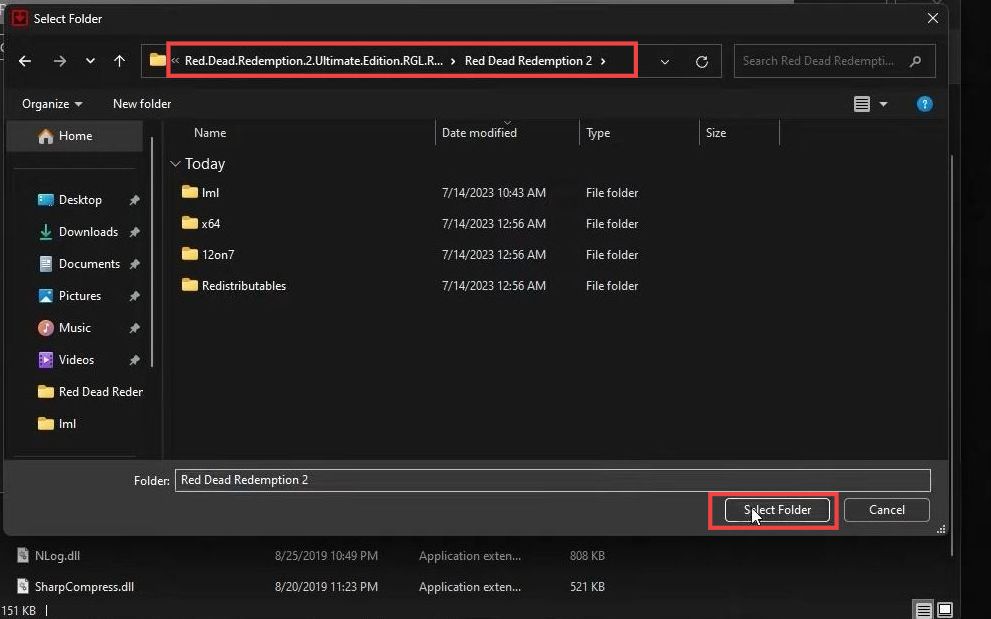
- Finally, open RDR 2 and wait for it to connect.