In this guide, you will find the step-by-step instructions to download and install the Forge 1.19 mod in Minecraft.
Forge Mod 1.19 is a great solution for the modders and developers that need a reliable base to build their mods. It’s also a must-have to make sure your mods are compatible.
You have to follow the instructions below to download and install these mods in Minecraft version 1.19:
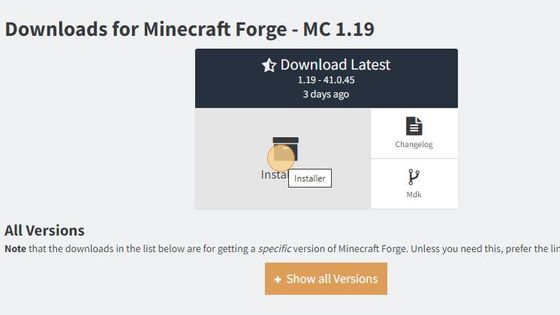
1. To download Forge 1.19, you have to open the following link and then tap on the installer to download the files.
Download Forge
2. You have to press Windows+R, then type %appdata% and press the OK button to save the downloaded files in Minecraft.
After that, open up the Minecraft folder and navigate to the version folder.

3. Now you need to double-click on the Forge 1.19 downloaded file to install it.

4. To check the installed Forge 1.19 file, you have to launch the Minecraft game.

5. Select Forge 1.19 and then click on Play. A new tab will appear on your screen, you have to check the checkbox and then hit the Play button.

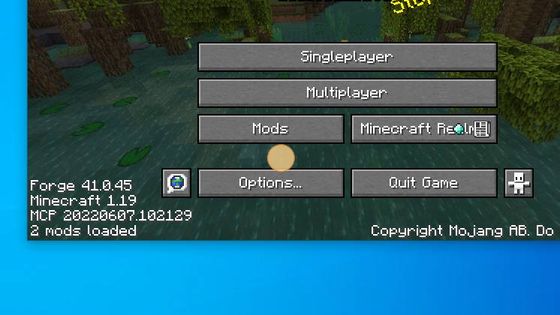
6. You will find the Mods option and also you will also see Forge at the corner of the screen.