This guide will let you know how to change FOV and ViewModel in CS2 using the easiest method.
- First, you need to open the console using the tilde (~) button.
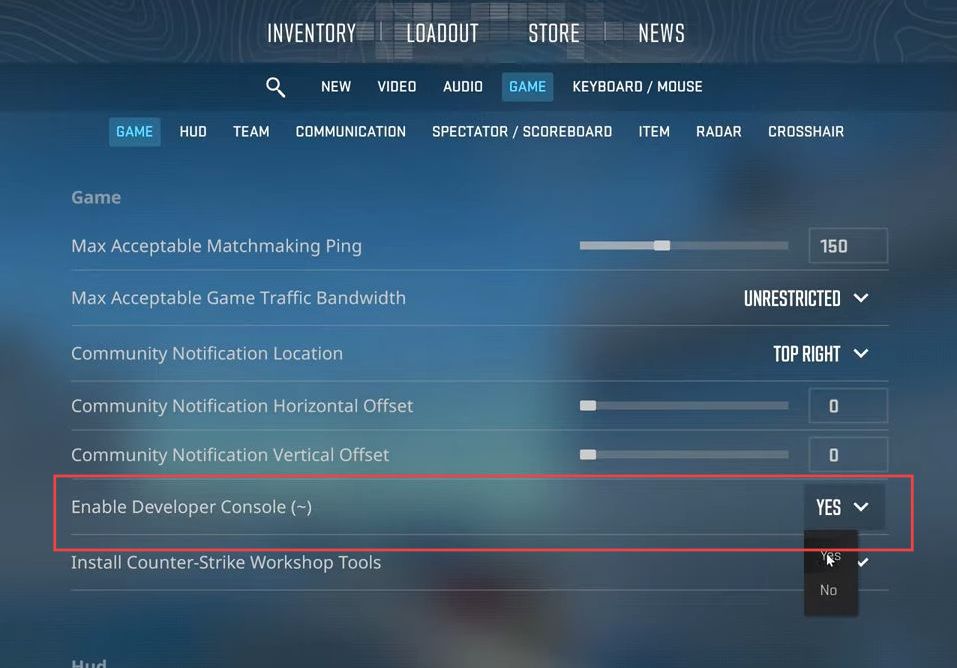
- If the console doesn’t open, ensure it’s turned on in the game settings, and the key is set in the UI Keys menu.
- To change the field of view (FOV), type this command, and values can be between 54 and 68.
viewmodel_fov [desired FOV]- To change the offset for horizontal (X), you have to type this command. The range is between -2.5 and 2.5.
viewmodel_offset_x [value]- For vertical (Y), type this command, and the range is between -2 and 2.
viewmodel_offset_y [value]- For depth (Z), type the following command and the range is between -2 and 2.
viewmodel_offset_z [value]- You can use preset options for the desktop, by typing the following command.
viewmodel_preset_pos 1
- For couch, type:
viewmodel_preset_pos 2- For classic, type:
viewmodel_preset_pos 3