The Default 3D 1.16.5 texture pack brings three-dimensional items and blocks into the game. Every block becomes three-dimensional, which really adds to the overall visuals. Additionally, this pack also adds some plants, mobs, and creepers.
Follow the steps below to install the 3D Texture Pack in Minecraft:
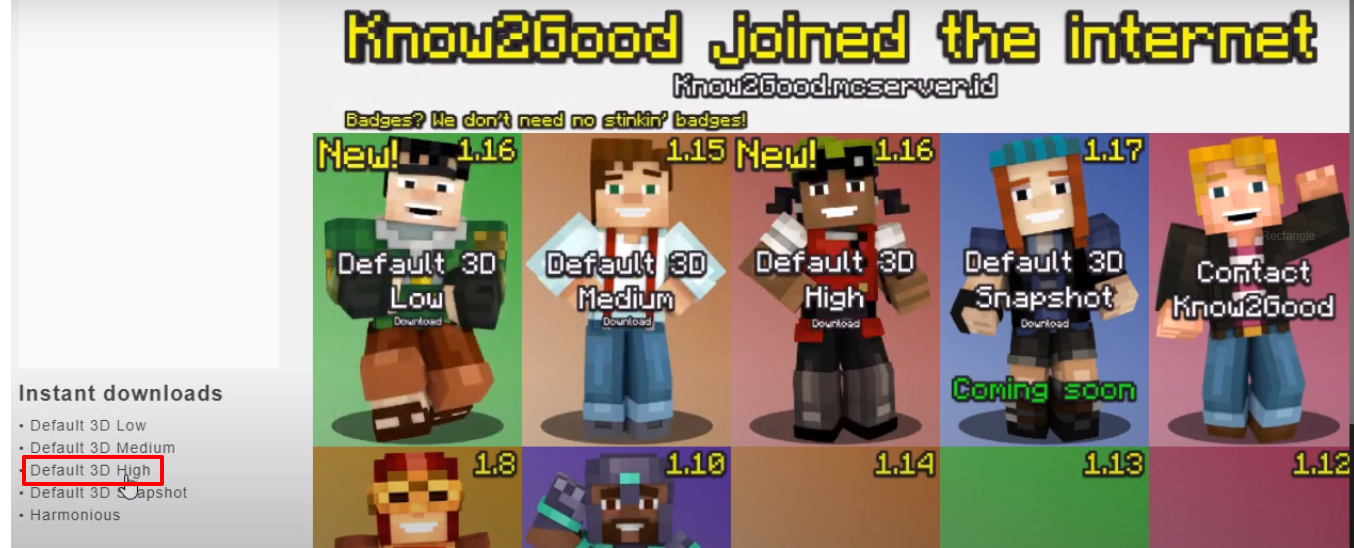
- Open the link below and download the Default 3D High file.
https://beta.know2good.com/
- Launch Minecraft, click on Options, and then click on Play.
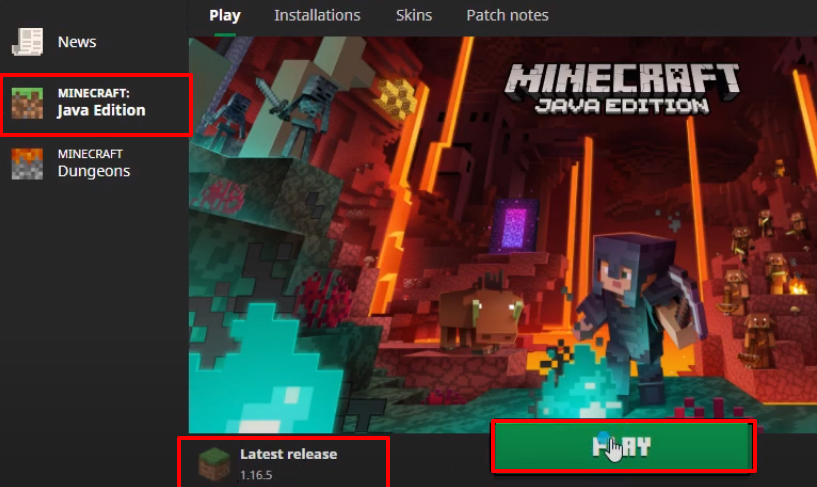
- Check the version and then click on Quit Game.
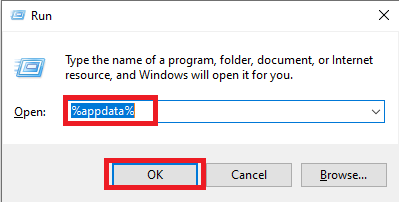
- Press Windows + R to open the Run dialog box, type %appdata%, and click OK.
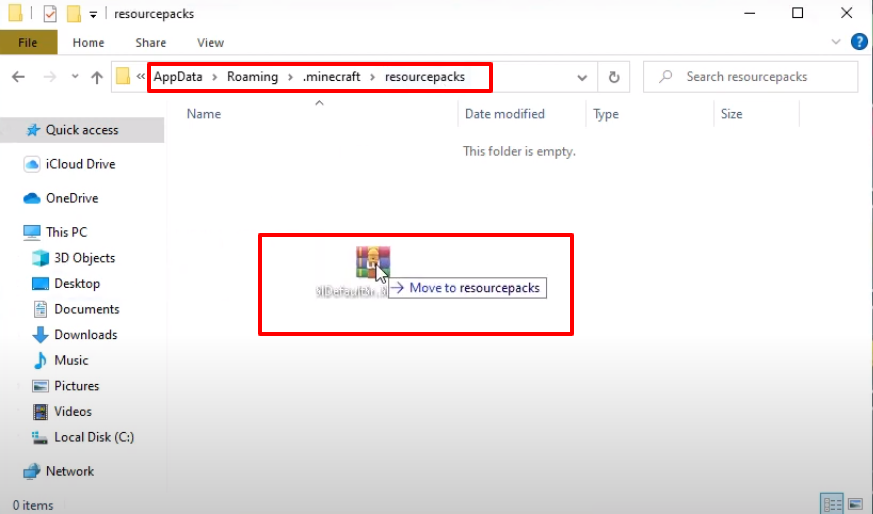
- After that, go to this directory: AppData\Roaming\.minecraft\resourcepacks, and then move the downloaded .rar file into this folder.
- Launch Minecraft and click on Options.
- Click on Resource Packs.
- Make sure the .rar file appears under the Available section, then click Done.

- After that, click on Singleplayer.
- Set Game Mode to Survival, Difficulty to Peaceful, turn Allow Cheats on, and then click on More World Options.

- Turn on the Bonus Chest and click Done.
- Click on Create New World.
- Once the world loads, click on Options.

- Click on Resource Packs.
- Click on the arrow icon to move the pack under the Selected section, then click Done.

- Explore and enjoy the game.