5 Secrets in Mobile Legends
This brief guide will show you five useful secrets in Mobile Legends. Most likely, some of these tips are not known to you.
#1 Change the Name of Your Friends
Did you know that you can change the display name of your friends in the game?

First, click on your friend’s profile and then tap the Rename or Remark button.
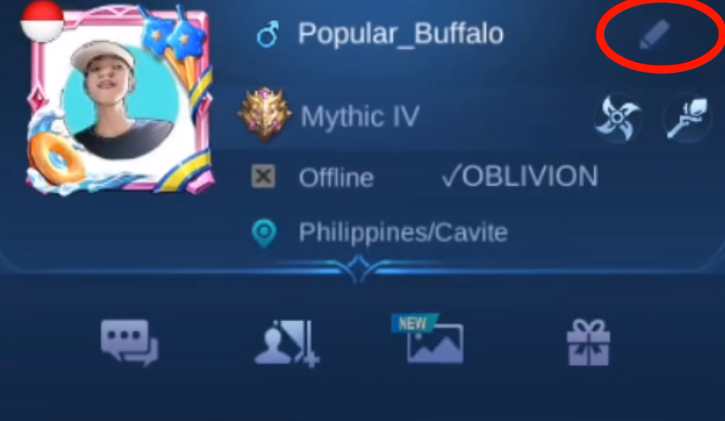
After that, enter the name you want to assign to your friend.
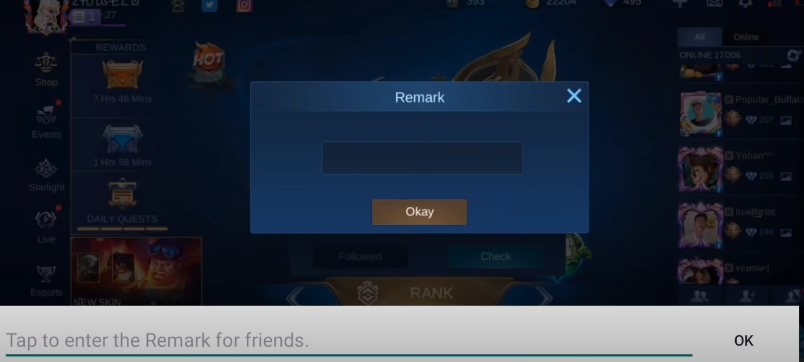
As you can see, the change works successfully.

If the player is online, the color of the name will change. As shown below, the color appears different.

To delete a remark name, click on the double-person icon.
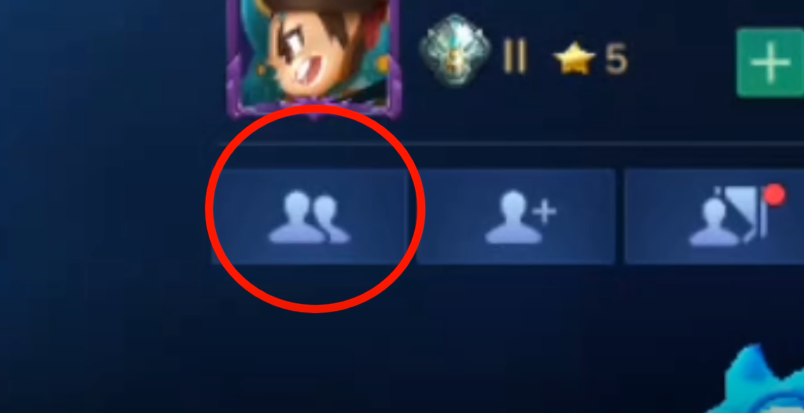
Then find the friend whose name you have remarked.

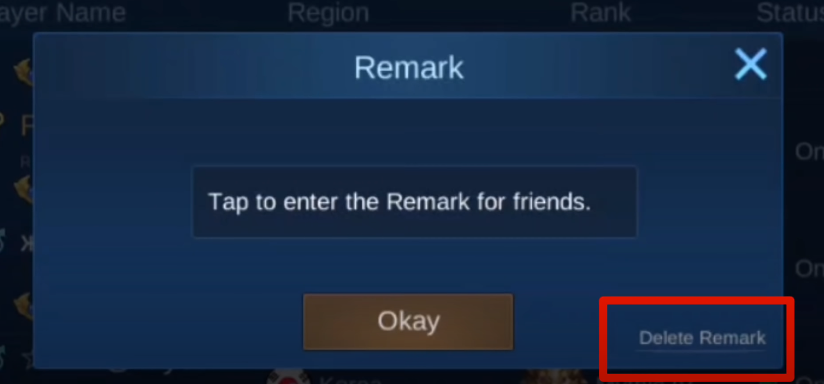
Click the three dots, edit the remark, and use the delete option. After that, the custom name will be removed.
#2 Live Streaming = Diamonds
You can earn diamonds through live streaming. Simply start a live stream, play the game, and wait for viewers to send gifts. These gifts can be converted into diamonds.
Here are some of the items you can receive during live streaming in Mobile Legends.
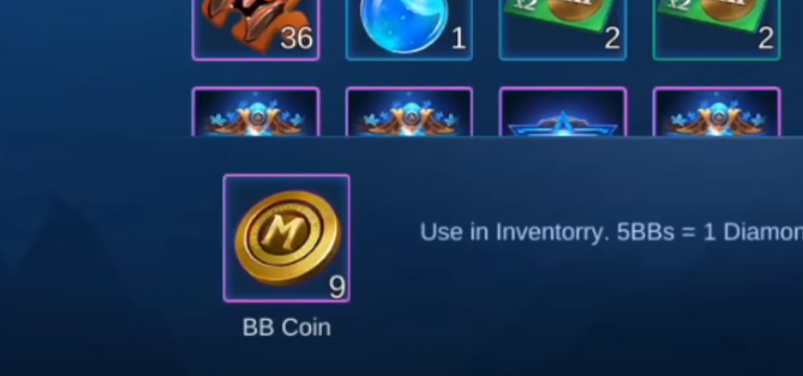
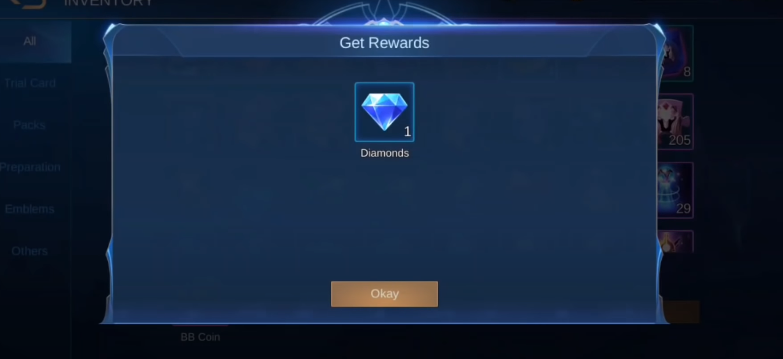
For every 5 BB Coins, you can get 1 diamond.
#3 Starlight Membership
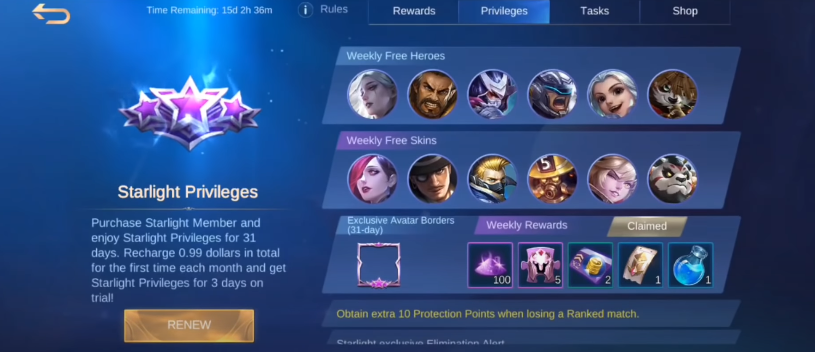
For every 50 diamonds you recharge, you receive a 3-day Starlight Membership. During these three days, you can claim rewards and try out heroes and skins.
#4 Max Credit Score Per Day
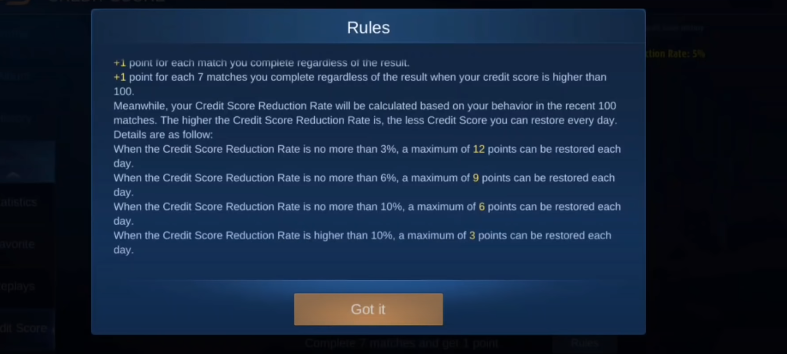
Many players wonder why their credit score does not increase even after playing matches. This is the reason.
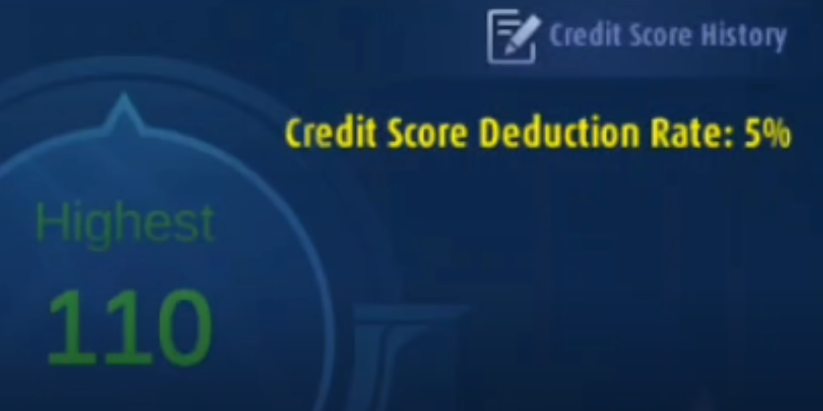
With each violation, your credit score reduction rate increases.
The amount of credit score you can gain per day depends on your CS reduction rate. The lower your reduction rate, the more credit score you can earn daily.
#5 Description / Bio Colors
You can change the color of the text in your profile bio.
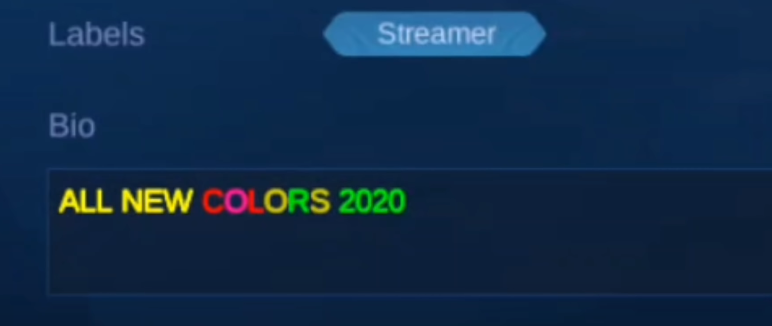
By using different color codes, you can customize your bio text and create your own style.