ADVENT OF ASCENSION MOD adds many new dimensions into the game. It allows players to explore every corner of the world. The mod also adds new mobs, tools, weapons, and bosses into Minecraft.
Follow these steps to install Advent Of Ascension Mod in Minecraft 1.16.5:
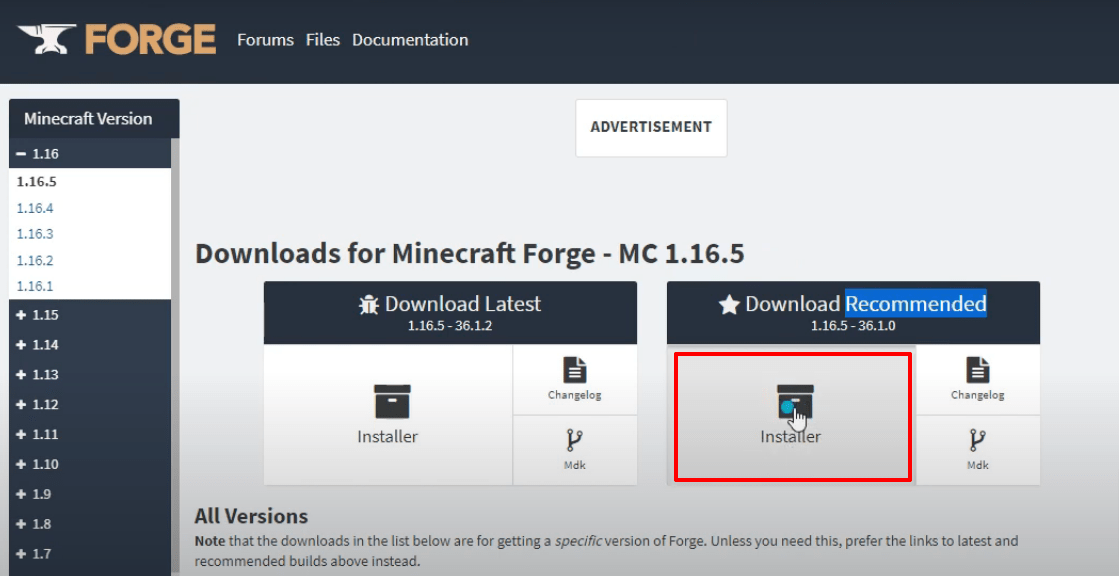
- Download the Minecraft Forge software from: Forge Website
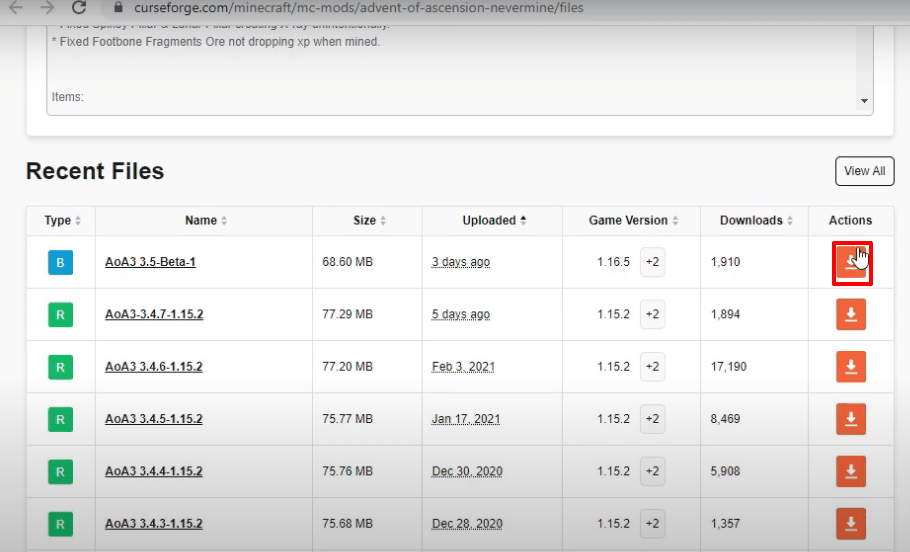
- Download the AoA mod from: Advent of Ascension Mod
- Launch Minecraft launcher, select Minecraft Java Edition, choose the latest release, and hit PLAY.

- Wait for the latest program to download, then click “Quit Game”.


- Press Windows+R, type
%appdata%and hit Enter.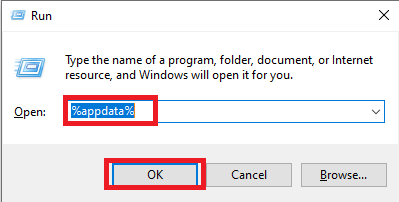
- Navigate to
.minecraft → versions.
- Double-click the downloaded Forge installer, select “Install client” and hit OK.

- Click OK, then a new Forge folder will appear in the versions folder.

- Run the Minecraft launcher, select Forge, hit PLAY, check the box, and click Play.

- Click Mods, then select Forge and hit Done.

- Click Quit Game.

- Open AppData again, navigate to
.minecraft → modsand paste the downloaded AoA mod file.
- Click Mods, look for Advent of Ascension, then press Done.

- Click Singleplayer, set game options via “More World Options…”, turn on Bonus Chest, then press Done.

- Click “Create New World”, then click Proceed, delete unnecessary items if needed, and explore the Advent changes.

- Select your preferred gamemode (Survival or Creative) and start exploring.

- Enjoy the game!
