
Category: Fortnite
-
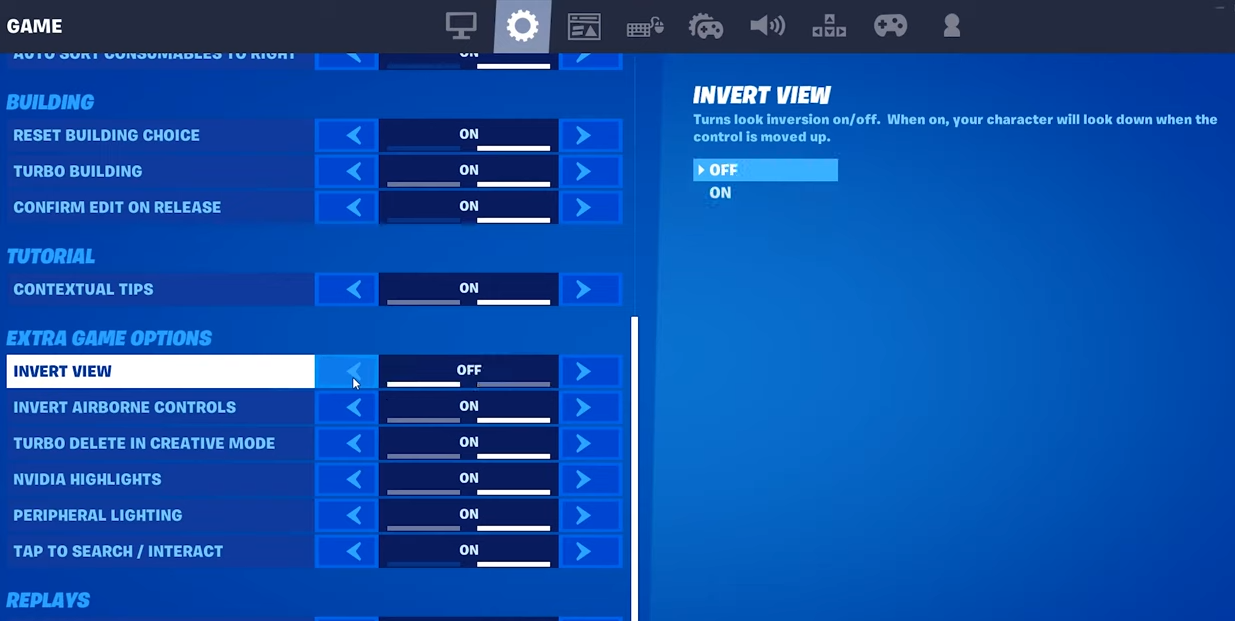
How to Turn Invert View On And Off in Fortnite
This guide will let you know how to Turn Invert View On and Off In Fortnite. Just follow the simple steps to Enable/Disable Invert View. First, you have to press the three-bars button at the top right corner of the screen and tap on Settings. Navigate to the Gear tab and scroll down to Extra…
-
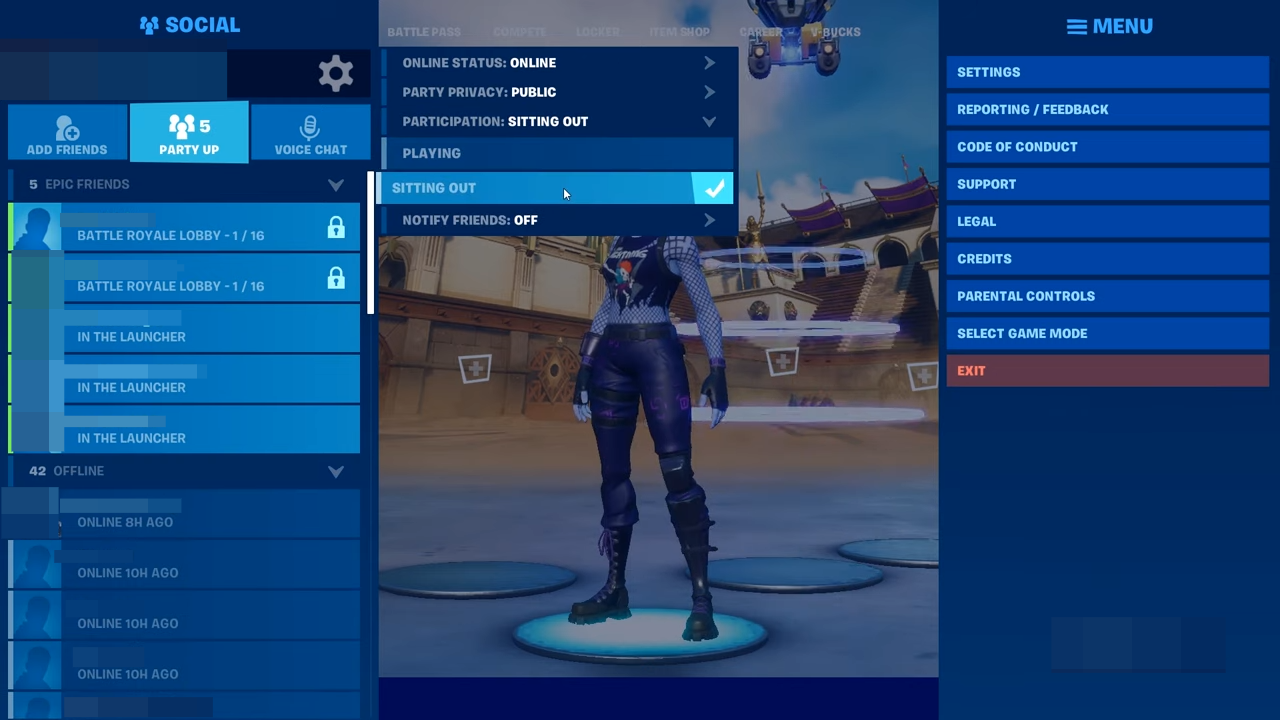
How to Sit Out In Fortnite Battle Royale
In this guide, you will find how to Sit Out in Fortnite Battle Royale on PS4, PS5, PC, Xbox, Nintendo Switch, and Mobile. It is quite simple to do so; you have to follow the steps below to sit out. You will first need to go to the Social tab on the top left side…
-
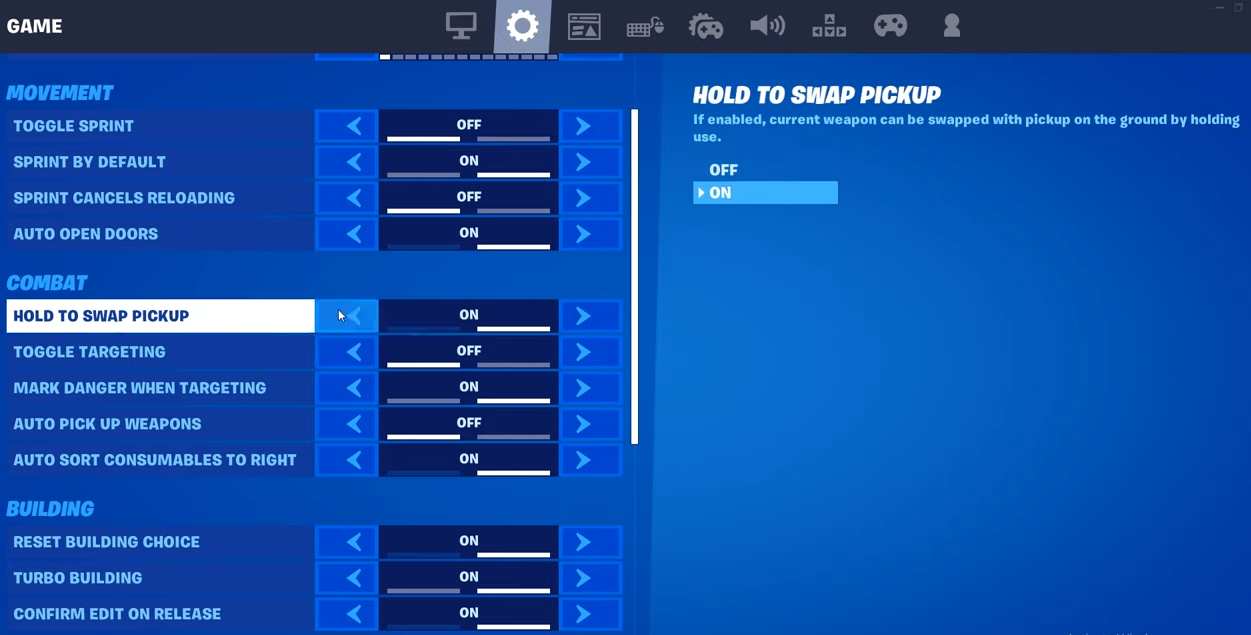
How to Turn Swap Pickup On And Off In Fortnite
This guide will let you know how to turn Hold To Swap Pickup On and Off In Fortnite. When it’s turned on, you can swap weapons without opening up the inventory. The first thing you will need to do is press the Menu button at the top right side of your screen and go to…
-
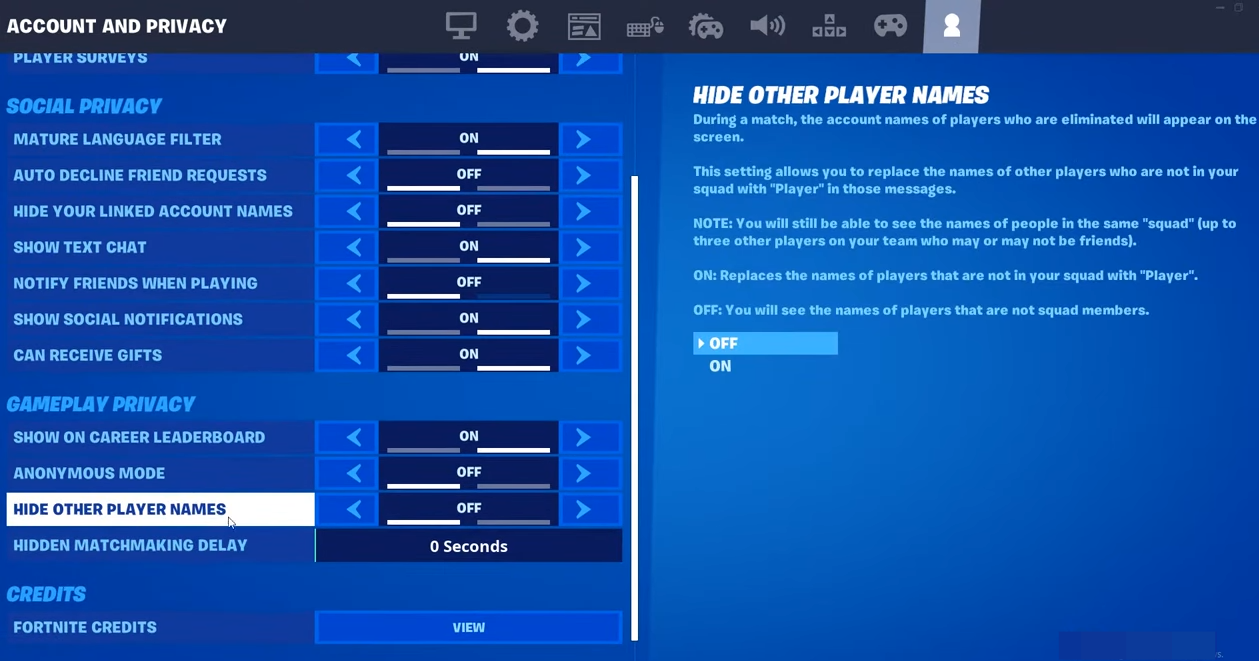
How to Hide Other Player Names in Fortnite
This guide will let you know how to Hide Other Player’s Names in Fortnite. Go through the guide and follow the simple steps to Enable or Disable Player Names Setting. First, you will need to press the menu button at the top right side of the screen and go to your settings. After that, navigate…
-
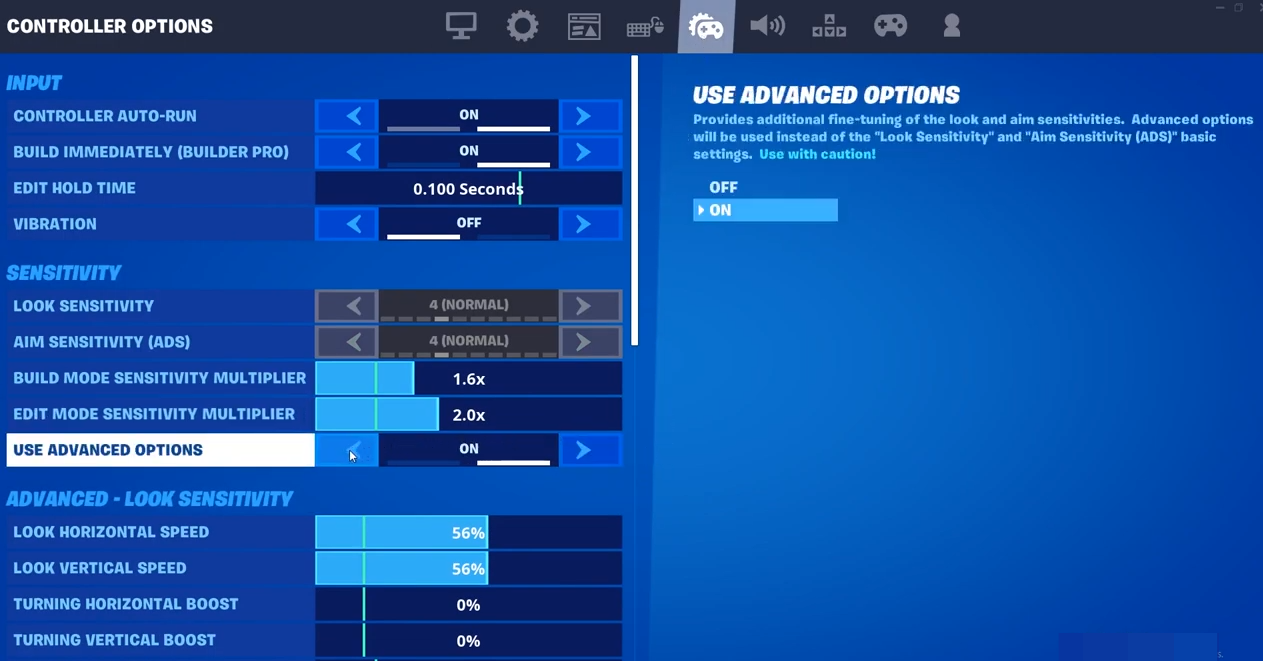
How to Turn Advanced Options On & Off In Fortnite
This guide will let you know how to Turn Advanced Options On & Off in Fortnite. Go through the guide and follow the simple steps to Enable or Disable Advanced Options. The first thing you will need to do is press the Menu button at the top right side of the screen and go to…
-
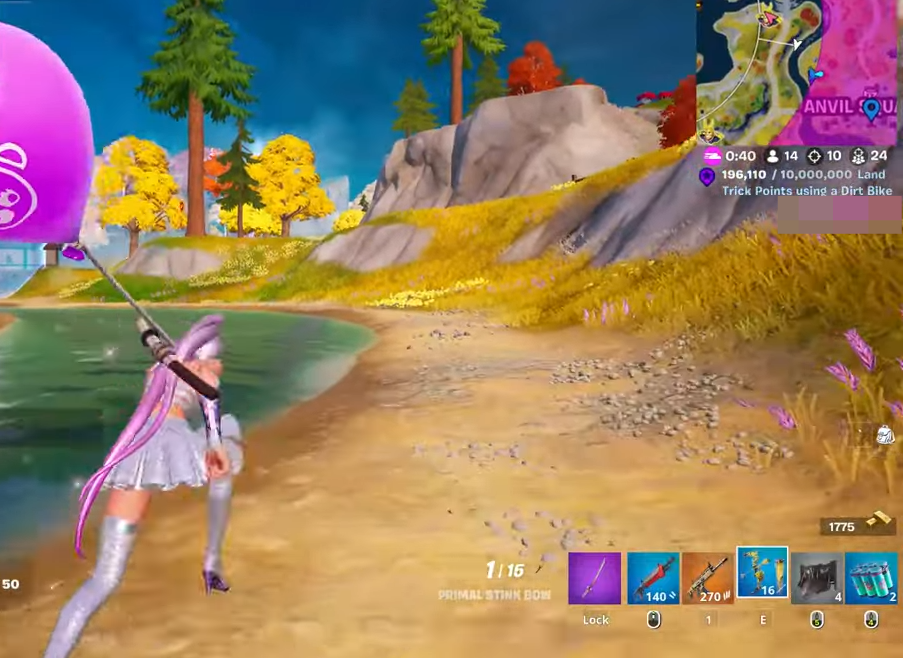
How to Fix No Sprint Glitch in Fortnite
This guide will let you know how to fix the problem in Fortnite where you cannot Sprint. You have to follow the simple steps below to fix it. You can quit the game, reboot the round, and sprint again. But if you want to fix it mid-ramp, you need to have your friend reboot, let…
-
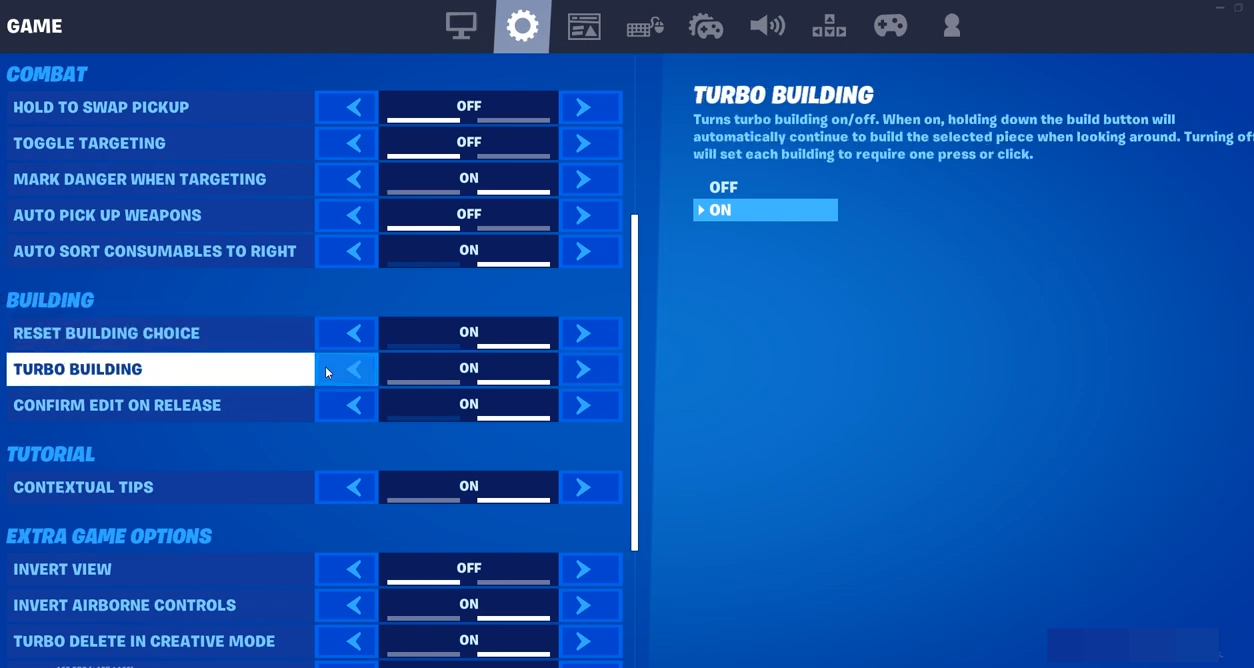
How to Turn Turbo Building On And Off In Fortnite
In this guide, you will find how to turn Turbo Building On and Off in Fortnite. Follow the simple steps below to Enable or Disable it. The first thing you will need to do is click the menu button and then go to Settings. After that, navigate to the Gear tab and scroll down to…
-
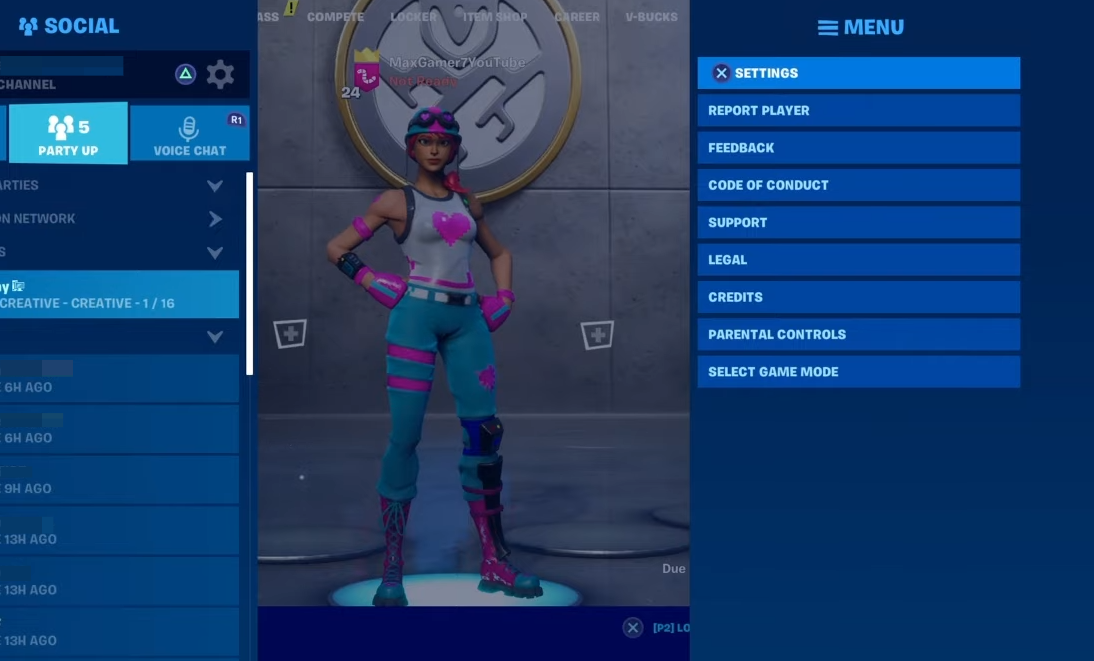
How to Turn On Visual Audio In Fortnite
This guide will show you how to turn on Visual Audio in Fortnite. It will help you to see chests and footsteps. You will need to go press the menu button at the top right corner of your screen and go to your settings. After that, navigate to the Audio tab, scroll down to Sound…
-
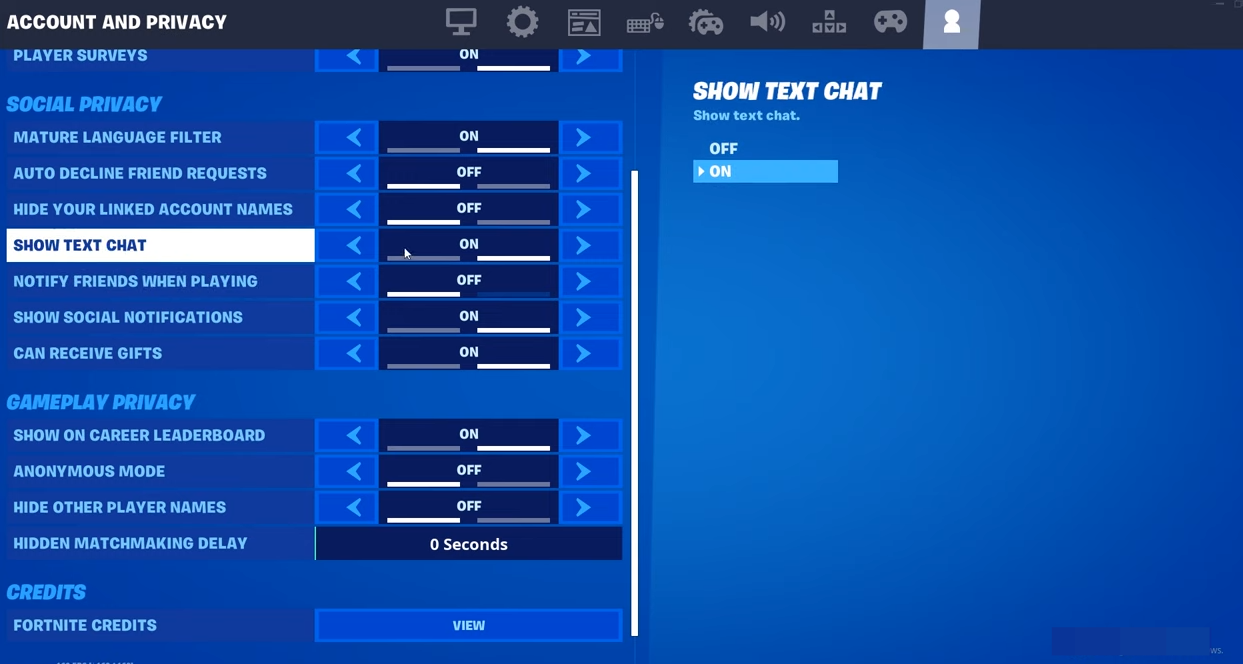
How to Turn Show Text Chat On & Off In Fortnite
In this guide, you will find how to turn Show Text Chat On & Off in Fortnite. Go through the guide and follow the simple steps to enable or disable it. The first thing you will need to do is press the Menu button and go to settings. After that, navigate to the Account and…
-
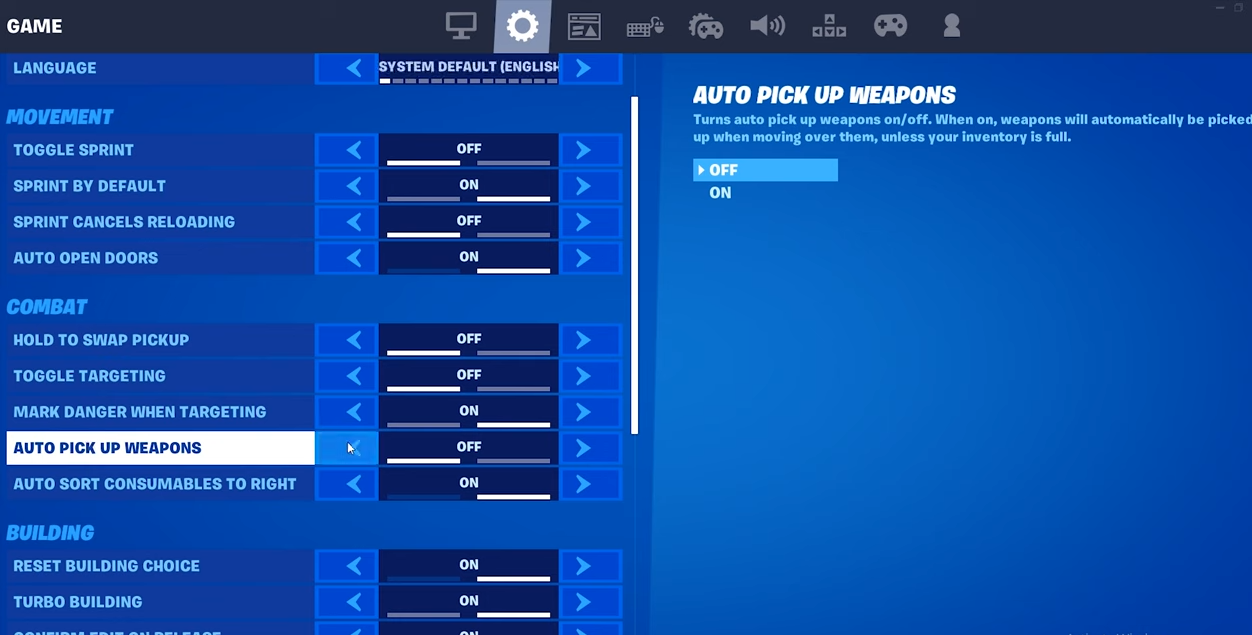
How to Turn Auto Pick-Up Weapons On & Off In Fortnite Battle Royale
In this guide, you will find how to Turn Auto Pick Up Weapons On & Off in Fortnite Battle Royale. You will first need to press the Menu button at the top right side of your screen and go to Settings. Navigate to the Gear tab and then scroll down to Combat. After that, turn…
-
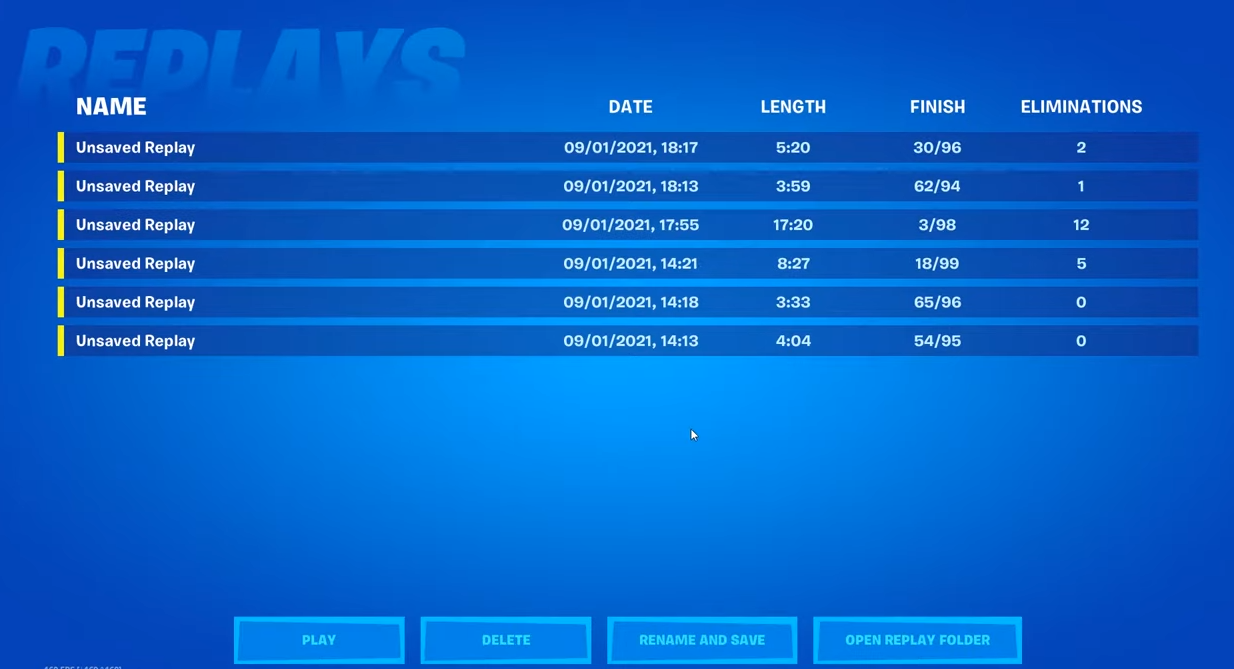
How to Watch Your Replays In Fortnite Battle Royale
This guide will tell you how to watch your Replays of Fortnite Battle Royale on PC, PS4, PS5, and Xbox. You will first need to go to your settings and navigate to the Gear tab. Scroll down to Replays and turn on all the settings under it. After that, hit the Apply button. Go to…
-
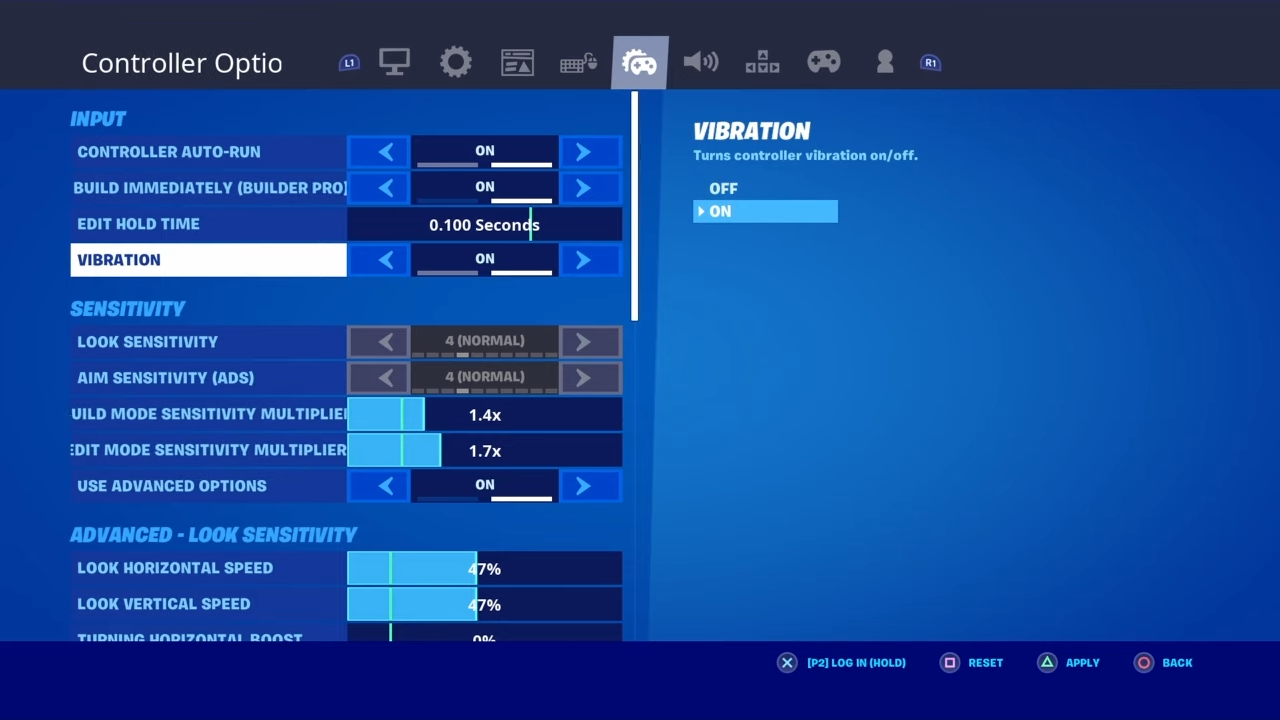
How to Turn Controller Vibration ON & OFF in Fortnite
This guide will help you to turn the Vibration on your controller on and off. You must follow the simple steps mentioned in the guide to do it quickly. The first thing you will need to do is press the Options button and go to settings. After that, navigate to the Controller Options tab, and…
-

How to Turn Replays On And Off In Fortnite Battle Royale
This guide will tell you how to Get Rid Of All Fortnite Replays. Go through the guide and follow the simple instruction to do so. You will first need to press the Menu button at the top right side of your screen and go to Settings. Navigate to the Gear tab and scroll down to…
-
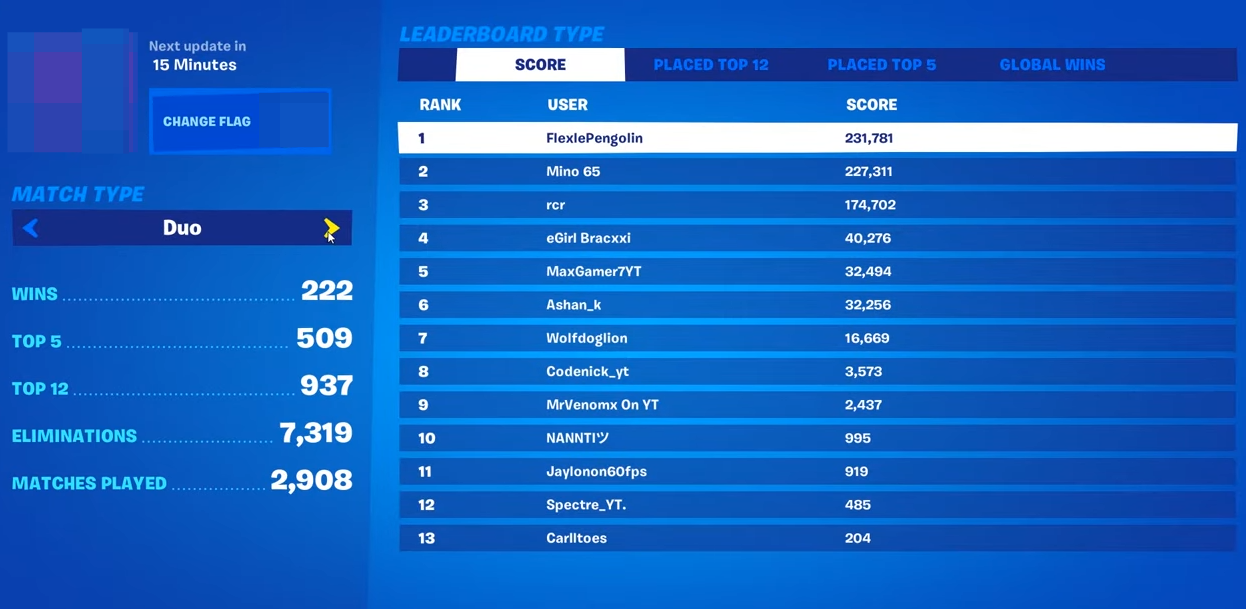
How to Check Your Stats In Fortnite Battle Royale
This guide will let you know how to check your Stats in Fortnite Battle Royale. Just follow the simple instructions below to do this on PS4, Xbox One, PC, Mobile, and Nintendo Switch. You must go to your Career tab and scroll down to your profile. You will find your solo stuff there and can…
-
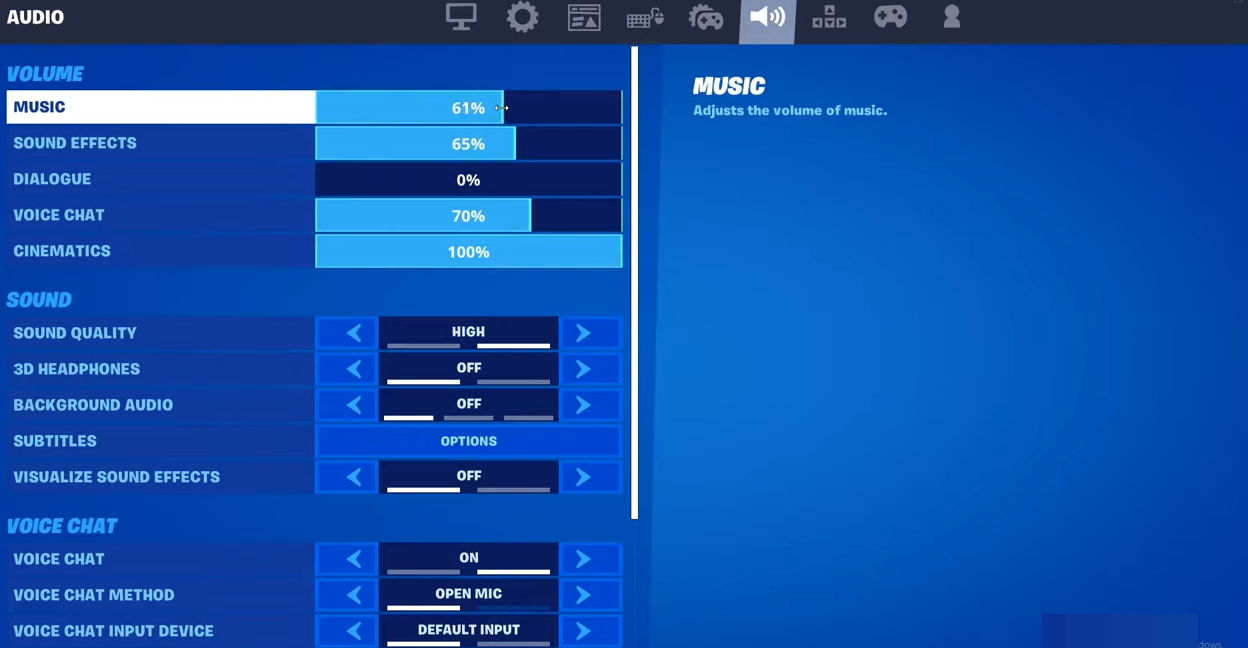
How to Turn Lobby Music On & Off In Fortnite Battle Royale
This guide will show you how to turn Lobby Music On & Off in Fortnite Battle Royale. Go through the guide and follow the simple steps to Enable or Disable Music. First, you will need to press the Menu button and go to settings. After that, navigate to the Music tab and turn your music…