
Category: Guides
-
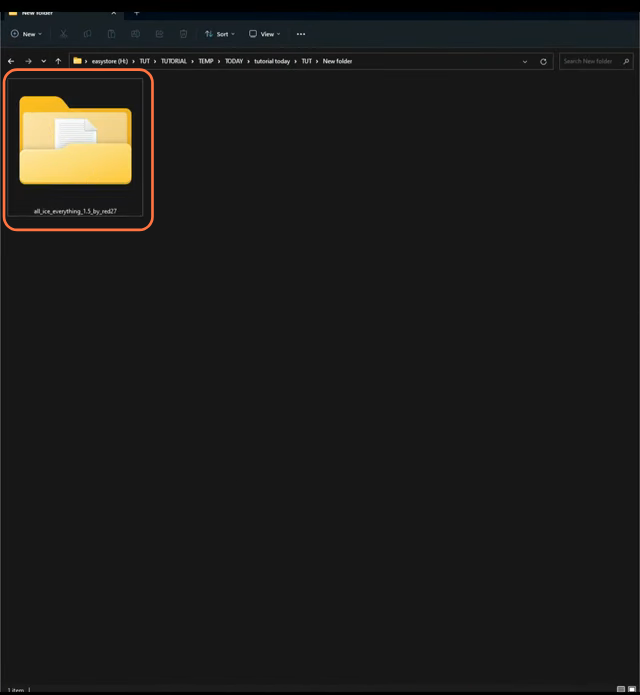
How to install Free Chains & Jewellery – GTA Mods
For players who relish decking out their GTA V characters with a touch of bling, the ‘All Ice Everything’ mod is a must-have for them. This extensive mod brings an array of accessories including earrings, watches, chains, grills, glasses, gold teeth, rings, and bracelets, allowing players to add a personalized touch to their in-game heroes.…
-

Standoff 2 Promo Code 2023 (Updated)
Standoff 2 is a free to play action first person shooter game. It is the second part of Standoff game that introduces some new features and game modes. Take the role of a soldier of special forces and battle against the terrorists to bring them down. You can interact with other characters in the form…
-

How to Get Energy Charge – Dragon Ball Xenoverse 2
This guide will let you know how to get Energy Charge in Dragon Ball Xenoverse 2. You have to follow the simple steps in this guide to get it. First, you will need to go to the advancement task desk and open it up. You will find the information about the rewards after beating; this…
-

How to Download & Install Litematica in Minecraft 1.19.2
This guide will let you know how to download and install the Litematica mod in Minecraft 1.19.2. 1. The first thing you will need to do is open your Minecraft launcher and select the latest release 1.19.2. Click on the Play button and let the game loads up till the main menu appears, then quit…
-

How to Install Road to Romance For Sims 4
If you want to infuse your Sims 4 gameplay with deeper emotional connections and richer romantic experiences, the Road to Romance mod is here to make your virtual love stories more engaging than ever. Their are certain features provided by this mod such as The Romance Skill, Counselling, Online Dates, Cheat Skill and other new…
-

Customize, Create A World – TerraCustom for Terraria
This guide will let you know how to customize your world in Terreria. It will provide you with all the custom settings that you can apply to the game. To download the mod, you will need to go to the following link. https://forums.terraria.org/index.php?threads%2Fterracustom-for-1-3.35346%2F And then click download. Choose your platform, click, and it will start…
-

Tombs Of The Fallen Guide – Assassin’s Creed Valhalla
This guide will let you know how to unlock and complete the quest Cassivellaunus Tomb for Tombs Of The Fallen in Assassin’s Creed Valhalla. First, you will need to go to Sciropescire from the map. When you get there, you have to use your bird to help you find the tornado. You will need to…
-

How to Do Lee Chaolan’s b2 Loop – Tekken 7
Lee Chaolan is a character who appears in the Tekken series. He is usually referred to as “Silver-Haired Demon” or “Violet” by other characters in the game. Lee is a skilled martial artist and is very fast and agile. He is also a genius inventor and has created many gadgets which he uses in his…
-

How to Switch Characters in GTA ONLINE
This guide will tell you how to Switch Characters in Grand Theft Auto ONLINE on ALL PLATFORMS. The first thing you will need to do is boot up your game and when you start playing the game, you have to press the escape button to open the menu. After that, go to the Online tab…
-

Roblox Super Evolution Codes 2023 (Updated)
In Roblox Super Evolution, you will need to train your Saiyan to make him stronger. You have to make your Saiyan the best in the business by upgrading energy, agility, and endurance. Active Codes 10MVISITS 15 minutes of x2 Coin Boost and 15 minutes of x2 Strength Boost 30KLIKES 5x Coins Boost and 2x Stat…
-

Dysterra – Controls Guide
Dysterra is a new twist on shooters, combining FPS and survival game elements while providing players with an immersive Sci-Fi experience. You have to loot, craft new items, and build a shelter so that you can survive as long as possible. Dysterra provides you with a choice to co-operate or compete with other players. In…
-

Settings for Dota 2, Increase FPS
In this guide, you will find out how to Increase performance FPS with any setup in Dota 2. First, you have to make changes in the in-game settings and in the simplees FPS pack. You have to end the explorer.exe, update GPU drivers, and also close all the unnecessary programs running in the background. You…
-

Roblox Football Universe Codes 2023 (Updated)
Football Universe is a roblox game that is based on the American football. It is probably the best football sports game featuring on the roblox platform. You have to make your football team and can even trade the footballers with some other players. Manage your team in different football matches, leagues and come out as…
-

Biker Garage: Mechanic Simulator – Controls Guide
Biker Garage is a motorcycle mechanic simulator, where you get to work with your own garage. You will need mechanics skills to customize, maintain and repair the bikes of your clients. In this guide, you’ll find all the Controls to play Biker Garage: Mechanic Simulator. Action Keys Description Pause / Back Esc Press Esc to…
-

How to Unlock Multiplayer in Dragon Quest Builders 2
In this guide, you will know how to unlock multiplayer in Dragon Quest Builders 2; follow the steps from the guide given below. When you first start the game, you have to progress beyond the ship by completing the orders given to you by the children of Hargon henchmen. When you land on the isle…
-

Best Way to Get Festival Of The Lost Weapons Faster – Destiny 2
This guide will provide you with the best way to get Festival Of The Lost Weapons faster in Destiny 2. You will need to complete the haunted lost sectors to acquired them. So open up your tower map and you’ll find haunted lost sectors playlist. You need to complete that playlist and have a chance…
-

How to Install SteamOS
This guide will walk you through the process of installing and running SteamOS on any compatible PC or Laptop. We’ll be using the Holo ISO to assist with the installation of the SteamOS. This will transform your PC or laptop into a Steam deck or gaming console. Step 1: Requirements USB Pen Drive (4GB or…
-

How to Change Keyboard Controls & Settings in MultiVersus
This guide will show you how to change keyboard controls & settings in MultiVersus on PC, PS4, PS5 & Xbox. It is very easy whatever the device you are using either a keyboard or gamepad etc. You can find the layout of the controls in the settings. You need to go to settings, then select…
-

Ragman Task on Streets of Tarkov – Escape From Tarkov
This guide will let you know how to do the Ballet Lover – Ragman Task on Streets of Tarkov in Escape From Tarkov. You have to follow the simple steps below to do so.You first have to make your way to the top floor of the apartment building just opposite the Pinewood hotel. You will…
-

How to Play Simple Offline Match in eFootball 2024
This guide will show you how to play a simple offline match in eFootball 2024. Go through the guide and follow the simple steps to play a trial match. First, you have to select the Authentic Match on the main screen and then tap on the Trial Match. Next, you need to select the controllers,…