
Category: Guides
-

“Mob Boss” Trophy Guide – GTA 3
This guide explains how to unlock the “Mob Boss” trophy in Grand Theft Auto 3. Toni’s mission Triads and Tribulations becomes available after completing Salvatore’s first mission, Chaperone. Before starting the mission, pick up the armor and the AK-47 located behind Toni’s restaurant for an easier fight. Triads and Tribulations Use the AK-47 to take…
-

How to Sleep, Pass Time, Or Change Day to Night In Hogwarts Legacy
This guide will tell you how to sleep, how to pass the time, and how to change the day from night to day in Hogwarts Legacy. You will need to open up your map by using the touchpad on the PlayStation, then go to the main map and look in the bottom right corner. You’ll…
-

How To Use Push To Talk In Fortnite Chapter Two PS4
This guide explains how you can Push to Talk option in Fortnite Chapter Two PS4. Follow the guide step by step and most likely your issue will be resolved. The first thing you will need to do is to go to the settings. Then you head to the Audio option, scroll down and find the…
-

How to Reset DNS Settings on PS5 & Fix Internet
This guide will provide you with the fastest method to reset the DNS Settings on PS5 and fix the Internet. Turn on your PlayStation 5 and ensure you are on the home screen. You have to go to settings. Within the Settings menu, navigate to and select the “Network” option. After that, select the “Set…
-

How to Use Thunder Spears – Titan Warfare
In this guide, you will come to know how to use the Thunder spears in Roblox Titan Warfare. Go through the guide and follow all the steps carefully to use it. Step 1 You have to hold click and aim at your target. Step 2 Then go near the thunder spear to activate it. Just…
-

How to Unlock Frankenstein Mask in Gta 5 Online
This guide will tell you how to unlock the new FRANKENSTEIN MASK (Brown Vintage Frank Mask) in Grand Theft Auto 5 Online. It is quite easy to do so, you just have to follow the simple steps below to unlock it. The first thing you will need to do is go to the full public…
-

How to Survive Freezing Cold Temperatures in LEGO Fortnite
In this guide, you will learn how to survive the cold temperatures in LEGO Fortnite. The desert biome, also known as the dry valley is located just outside the grasslands. Since maps differ, you’ll need to explore the map edges to find it. You’ll notice the temperature change as you enter the desert biome. To…
-

How To Make Fountain
Fountain is used for decoration. You can choose any place on the ground to make a fountain. Go through this guide and follow step-by-step instructions in order to make a Fountain. The first thing you will need to do is to make a 5*5 square by placing stone brick slabs on the ground. Place two…
-

How To Make Hidden Stairs
This guide will let you know how to make Hidden Stairs in the Minecraft game. In order to make Hidden Stairs, you have to place pitons diagonally upward as shown in the image below. After this place polished andesite blocks on the right side of the pistons and put redstone dust on them. The next…
-

How To Install Gameconfig (1.0.2060) Mod In GTA 5 ?
This guide will let you know how to install Gameconfig (1.0.2060) in Grand Theft Auto V. The first thing you have to do is to open the link below and Download the Gameconfig. https://www.gta5-mods.com/misc/gta-5-gameconfig-300-cars Go to the following website and Download the Heap Limit Adjuster. https://www.gta5-mods.com/tools/heap-limit-adjuster-600-mb-of-heap And then, open up the link below and Download…
-

[Anime] ReLIFE Review
ReLife in 3 Sentences: ReLife is about an unemployed adult named Arata Kaizaki, who left his first job just within 3 months. He is a good-for-nothing guy until he meets Ryo Yoake, an employee of the ReLife Research Institute. Ryo gives Arata the chance to redo his life by being a 3rd year High School…
-

How to Have 3d Guns Addon in Minecraft Pocket Edition
In this guide, you will come to know how to have 3D guns Addon in Minecraft Pocket Edition. You have to follow the steps in this guide to add this Addon to your game. There is a realistic 3D guns Addon for the Minecraft Pocket Edition. You can get a variety of guns like a…
-

How To Find Your Dead Sims Ghost – The Sims 4
In this guide, you will learn how to find your Dead Sims Ghost (Without Tombstone/Urn) in The Sims 4. 1. If ever your sim died on another lot, away from your home and you get a message related to that at the top right corner but you can’t find his/her ghost. Then this guide will…
-

HROT – Controls Guide
HROT is a first-person shooter game that is set in 1986 when Czechoslovakia was surrounded by the Soviet Union. Czechoslovakia is a small socialist country neighboring the Soviet Union. In this guide, you’ll find all the Controls to play HROT Actions Keys Description Shoot Mouse Left Click Press Mouse Left Click to Shoot Next Weapon…
-

Goal Challenge Jailbreak Roblox
The Roblox Jailbreak Brand New Goal Challenge provides you and the whole server with exclusive rims. This guide will let you know how and where you can perform this glitch. Before you start the challenge, you have to find the Beach Ball located by a Wind Turbine. After that, bring the Beach Ball all the…
-

Toddler Socks: Sims 4 CC (List)
If you’re looking to add Toddler Socks for your Sims 4, then you need to checkout the following list. Toasty Toesies by sims4nexus These fun socks are perfect for Sims 4 players who want to keep their little ones’ toes warm and toasty! Wyatt Colorful Socks for Tots & Kids by Onyx Sims These socks…
-

How to Install Ship Builder Tweaks Mod in Starfield
“Ship Builder Tweaks” makes the ship builder easier to use. It improves responsiveness and makes zooming, panning, and turning faster. Additionally, it shortens snapping distances and expands the number of floor options. To install the Ship Builder Tweaks mod in Starfield, follow these simple steps: First, download the Ship Builder Tweaks mod from the Nexus…
-
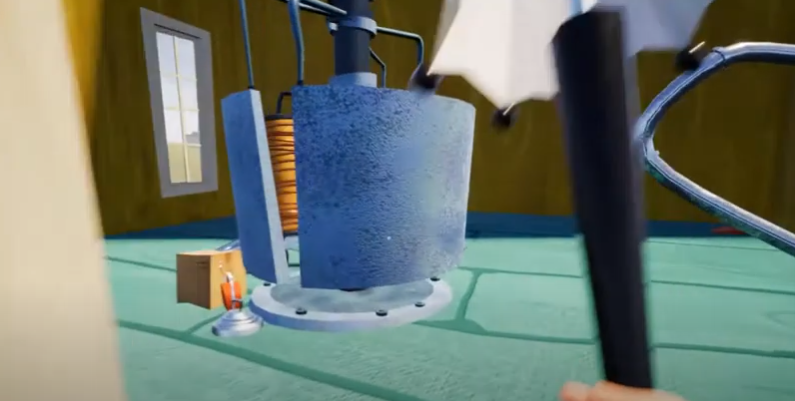
How to Get the Green Key & Win the Green Nightmare Level – Hello Neighbor Alpha 4
This guide will let you know how to get the Green Key and win the Green Nightmare Level in Hello Neighbor Alpha 4. Go through the guide and follow the step-by-step instructions to do so. Step 1 You will first need to go upstairs; you can also use the lift to go up. Step 2…
-
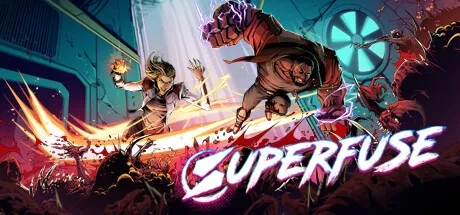
Superfuse Co-Op: How To Play Multiplayer
Stitch Heads Entertainment created Superfuse, a role-playing action game. This game features an extensive and simple skill customization system that allows you to create unique talents by combining various powerful fuses. Pick one of three character classes and embark on a heroic journey with up to three buddies. Superfuse offers hours of pleasure and stimulating…
-

How to Use RPCS3 to Play Online PS3 Games on Private Servers
In this guide, you will learn how to use RPCS3 to Play Online PS3 Games on Private Servers using the easiest and quickest ways. Set up RPCN Account In this section, we will take you through the steps to use RPCS3 to Play Online PS3 Games on Private Servers by setting up an RPCN Account.…