
Category: Guides
-

Settings for Super Mecha Champions, Increase FPS
In this guide, you will find out how to increase performance FPS with any setup in Super Mecha Champions. You have to change the SMC mode, then make a few changes in the in-game settings and do the disk cleanup. Then you have to update GPU drivers and also you have to close all the…
-

How To Make A Lead
Lead is a very important item that is used to tie passive mobs with fences. To make Lead, you will need Spider Strings and Slime Ball. Please follow the following steps to make Lead. Spider Strings In order to make lead, the basic item that you need to get is spider strings. You can find…
-

How to FIX PS5 Error Code CE-100045-0
This guide will show you how to fix the PS5 error code CE-100045-0. Go through the guide and follow all the instructions carefully to get rid of this error. Restore Licenses In this section, we will take you through the steps to restore licenses. It will help to fix the error. Start by booting up…
-

The Declasse Draugur – GTA 5 Online!
This guide will provide you with everything you need to know about The Declasse Draugr before you purchase in Grand Theft Auto 5 Online. If you take a look at this vehicle on the in-game website which is the Southern San Andreas super auto site, it has a price of one million eight hundred and…
-
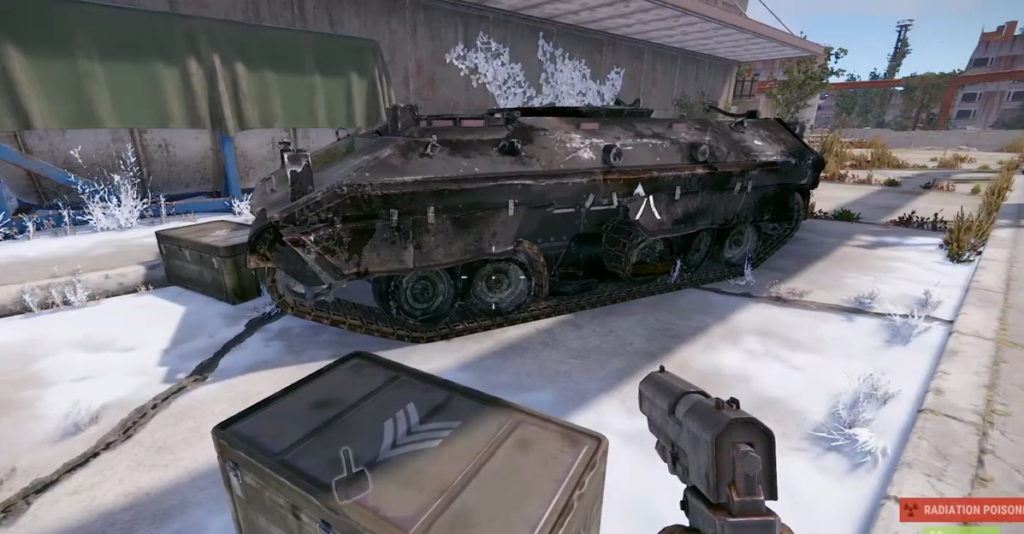
Where to Find Prototype 17 in RUST (ALL Spawn Locations)
This guide will let you know how to find the new weapon Prototype 17 in Rust. Airdrops: The first way to get this new weapon is from airdrops. There’s a 10% chance that Prototype 17 will spawn. 2. Patrol Helicopter Now the next method to get it is from any petrol helicopter. You need to…
-

F.I.S.T.: Forged In Shadow Torch – Controls Guide
F.I.S.T.: Forged In Shadow Torch is a role-playing fighting game. You will play the role of Rayton, a former soldier and you need to start your journey battling against different mafias in the city. In this guide, you’ll find all the Controls to play F.I.S.T.: Forged In Shadow Torch. Keyboard Actions Keys Description Up W…
-

HOW TO GET THE GREEN HALO IN TREACHEROUS TOWER
This guide will let you know how to get the Green Halo in Roblox Treacherous Tower. To get the green halo, you will need to complete the tower. Once you have finished the tower, go to the bushes, walk and click through them. Once you hear a ding, that means you have gotten the Green…
-

Where to farm Jagged Edge in Warframe
In this guide, you will come to know where to farm Jagged Edge in Warframe. Jagged Edge can drop as a reward from killing specific corpus enemies that can spawn in various places such as Jupiter, the ORB Vallis/venus open world, and on Lua. Specifically, you will need to look for certain types of crewmen…
-

How to Turn On Contextual Tap & Loot Items in Warzone 2
In this guide, you will find out how to TURN ON Contextual Tap & LOOT ITEMS Faster in Warzone 2. First, you have to boot up your game and press the Options button to open the settings menu on the right side of your screen. From that menu, you need to click on the controller.…
-

Best Skyrim Pirates Mods to Try Out
If you’re a fan of the video game Skyrim, then you probably noticed that there are some mods available for this game. This guide will provide you with the best Skyrim Pirates Mods to try out. Seadog Pirate Armor Seadog pirate armor is the perfect way to show your love of all things piracy while…
-

How to Get “Good & Bad Ending” Badges in Piggy Battle
This guide will let you know how to get the “Good and Bad Ending” badge in Roblox Piggy. You will also learn how you can get the Trap Morph/Skin in the game. The first thing you will need to do is talk to Mousy’s Twin; she will teleport you to The Piggy Battle. After that,…
-

Can’t See Game Activity In Discord (Fixed)
This guide will let you know how to change Now Playing on Discord. You will need to go to the Discord home screen and click on the Settings option to open up the discord settings menu options. You have to download the Discord application from the store on your computer, and once it’s installed, you…
-

DEATHGRIP – Controls Guide
DEATHGRIP is a fast-paced vertical racing game, where players must master the vehicle controls and use their skills to avoid incoming obstacles. The players will compete with others to dominate their tracks. In this guide, you’ll find all the Controls to play death grip. Action Keys Description Menu Esc Press Esc to Open Menu Change…
-

Runewaker – Controls Guide
In Runewaker, you play as one of the last people left in Rune. As the city falls to ruin, you must use your magic to save the people and defeat the corrupt government. You can use the magic glyphs. In this guide, you’ll find all the Controls to play Runewaker. Actions Keys Description Exit Esc…
-

The Serpent Rogue – Controls Guide
The Serpent Rogue is an action-adventure game with unique gameplay and a beautiful art style. The story of the game takes place in a medieval fantasy realm, where players take on the role of a young alchemist attempting to save his kingdom from impending disaster. You will need to explore forgotten lands, tame wild beasts,…
-

Brawl-O-Ween challenge in Brawl Stars (Tips)
This guide will provide you with some tips & tricks about the new Brawl-O-Ween challenge in Brawl Stars. Stage 1 Bounty Map Excel! It’s almost time for the Brawl-O-Ween challenge! You will need to win nine times to get this exclusive pin for free, which is awesome. Stage 1 is a bounty in map Excel!…
-

Best Dragon Age Inquisition Mods
The year is 2022 and you’re thinking about starting up a new game of Dragon Age Inquisition. You’ve read the reviews, tried out all the mods, and know what you like, but now it’s time to start fresh! The following are some of the best mods that people are using in 2022 to help with…
-

How to Fix Can’t Add Funds To PS5 Wallet Balance
This guide will provide you with the best method to fix Can’t Add Funds to PS5 Wallet Balance. You must have to follow the simple instructions below to fix it. You have to go to settings and then navigate to User and Accounts. After that, go to your account and it might ask you to…
-

How to Remove EA App Migration Message In Origin
If you’re now getting a message telling you to upgrade to the EA app, then you have come to the right place. This guide will help you to remove EA App Migration Message in Origin in the easiest and quick way. First, you need to close the Origin application completely. Go to your system tray…
-

Core of the Apparatus Recipe Guide – Genshin Impact
In this guide, I will share with you the walkthrough for the new event. We can get roughly 420 Primogems for this event. Day 1 Speedrun You need to be at least AR30, completed Ritou Escape Plan, and Chisato’s Letter world quest in order to get this event quest. Talk to Bertrand at the Ritou…