
Category: Guides
-
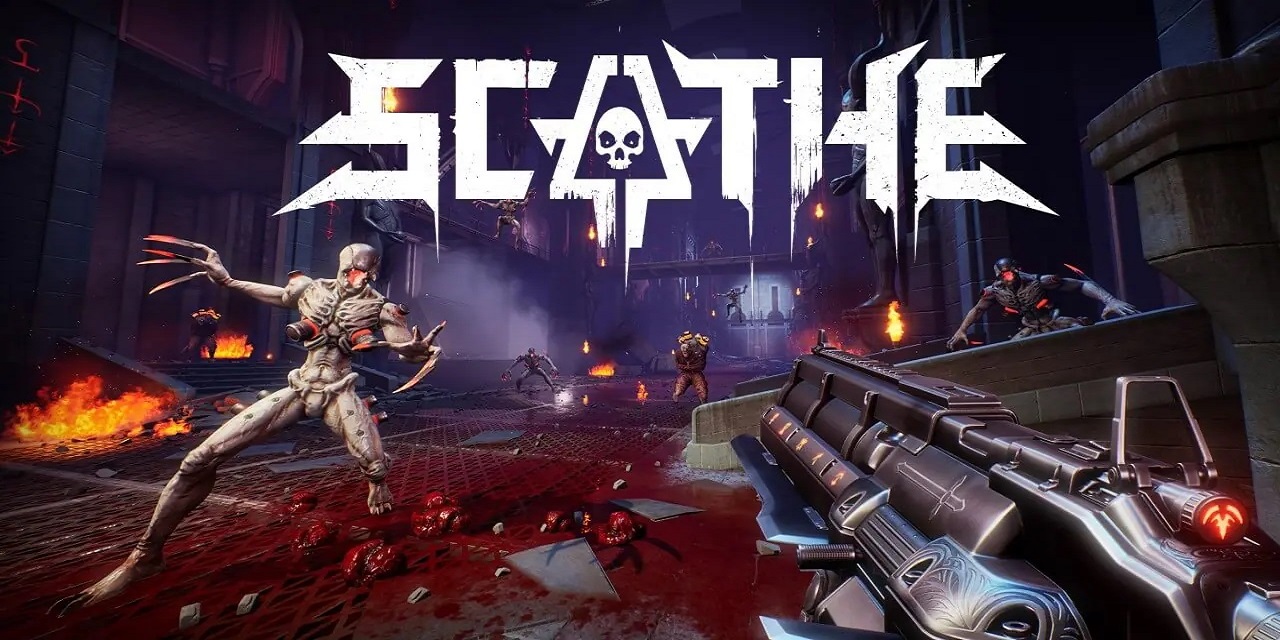
Scathe Co-Op: How To Play Multiplayer
Scathe is a spectacular first-person shooter game designed to give players an adrenaline rush. As Scathe, the Enforcer of the Legions of Hell, players may expect to encounter large guns and even bigger demons in its classic FPS action. The game is a blood-soaked adventure in which quick reflexes are required to survive the bullet…
-
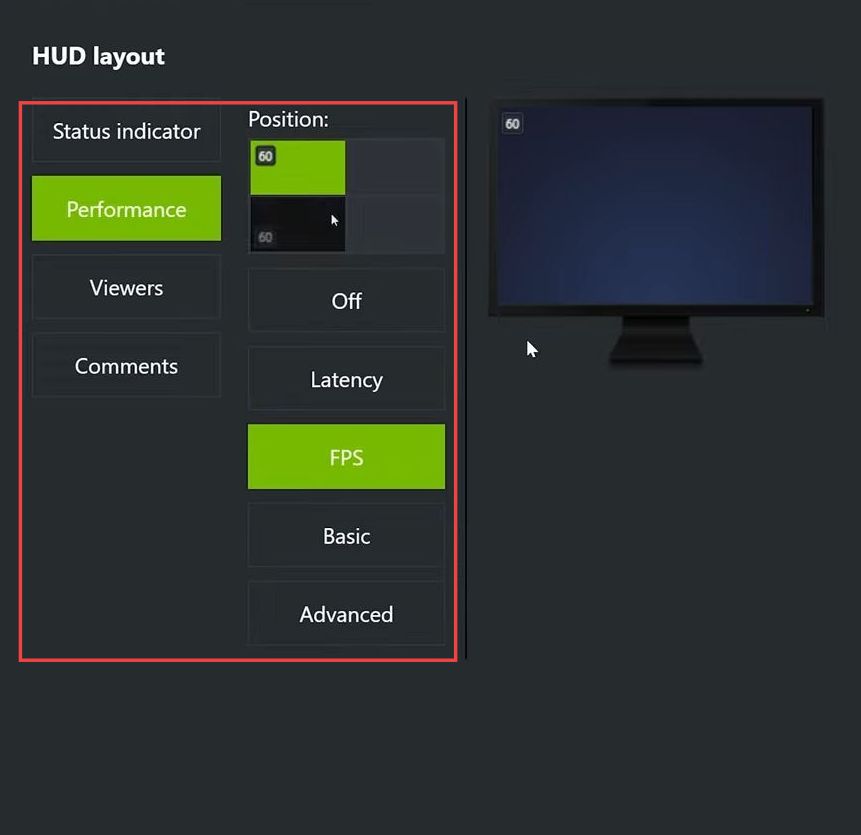
How to Show FPS in CS2
This guide will let you know how to Show FPS in Counter-Strike using the easiest methods. You can either use Steam Overlay, Nvidia Overlay, or InGame Overlay to accomplish the task. Steam Overlay In this section, we will take you through the steps to show FPS in Counter-Strike using the Steam Overlay. You have to…
-

Blackwind PC Keyboard Controls
Blackwind is a shooting game. It is developed by Drakker Dev. Immerse yourself in the most intense, fast-paced, and challenging game available on Google Play. The action takes place in different planetary environments, where the player will have to fight against invading hordes of enemies. In this guide, you’ll find all the Controls to play…
-

How to Install Gravity LUT Mod in Starfield
“Gravity LUT (True to Life Colour – ACES LUTs)” seeks to offer a natural and consistent colour experience. This mod gives the game colours and luminance that are true to life, and it asks for user comments after its initial release to create a setting that is balanced. To install the Gravity LUT mod in…
-

How to Make Weighted Pressure Plate (Heavy)
Weighted pressure plate(heavy) generates a varying redstone signal strength depending on the number of objects on it. To make a weighted pressure plate(heavy), you just need two things Iron Ore and Iron Ingot using Furnace. Please follow the following steps to make a Weighted Pressure Plate(Heavy). Iron Ore In order to make a weighted pressure…
-

How to Get the Cop Belt/All Belts in Gta V Online
In this guide, you will come to know how to wear the COP belt on the outfit in GTA V. Go through the guide and follow the instructions to wear a belt on any outfit. Step 1 To wear a belt, you have to make your way to any clothing store and buy a t-shirt.…
-

Roblox Ghost Simulator Codes 2023 (Updated)
In the Ghost Simulator game, you will be located in a world with lush green forests, towering cities, and volcanic islands, but it is under the attack of deadly ghosts. Now you have to stop the ghosts from killing the humans and destroying this beautiful world. You can take help of your fellow hunters to…
-

How to Get a Full Refund On PS4 & PS5 Games
This guide will let you know how to get a Full Refund On PS4 & PS5 games using the chat support. You will also learn about what type of question they ask you to do a refund. First, you have to go to the webpage from the link given below. https://www.playstation.com/en-us/support/store/ps-store-refund-request/ When you open this…
-
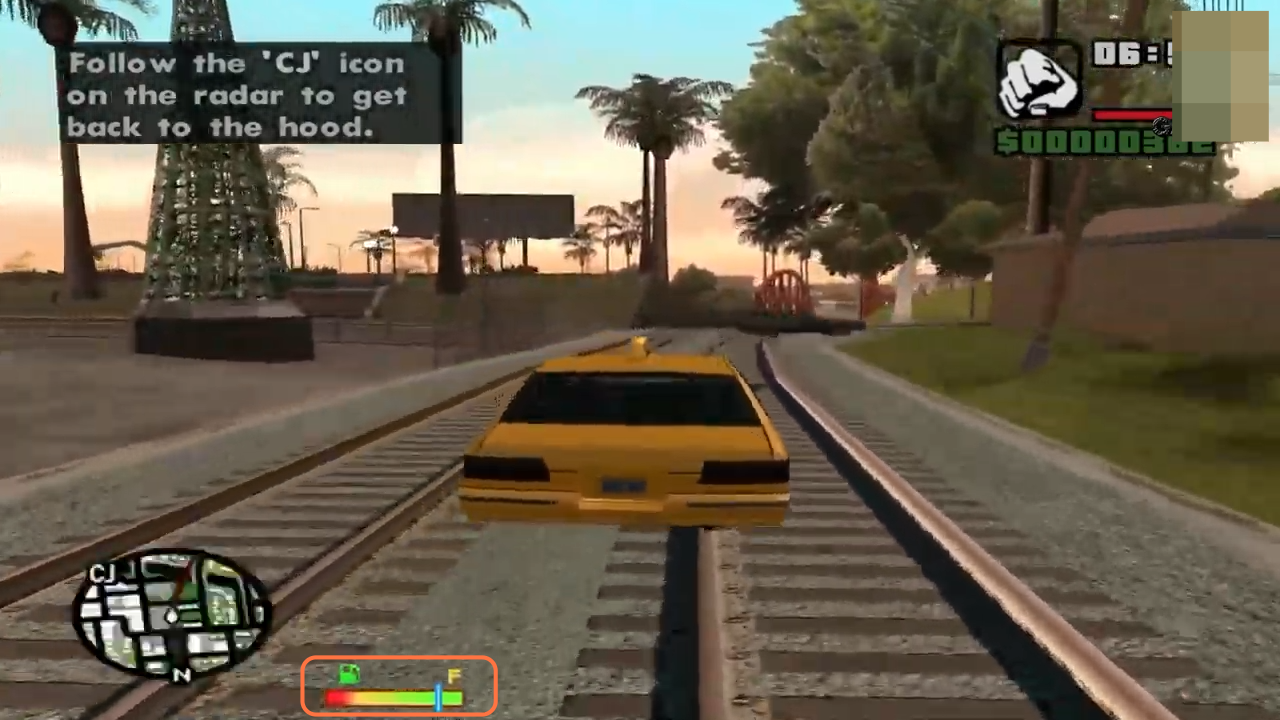
How to Install Fuel Mod In GTA San Andreas
In this guide, you will find out how to install the Fuel Mod in GTA San Andreas. Go through the guide and follow the step-by-step instructions to install it. 1. You will need to download the Fuel Mod for GTA San Andreas from “https://www.gtaall.com/gta-san-andreas/cleo/4827-benzin.html“. Open the link and click on the blue download button to…
-

How to Mod Pokemon Scarlet and Violet With Yuzu Emulator
This guide will let you know how to set up Mods for Pokemon Scarlet and Violet on the Yuzu emulator. First, you need to download your desired mod and then you will be able to mod the game. Download mod In this section, we will take you through the steps to download the mods for…
-
Roblox Pinewood Computer Core Codes 2023 (Updated)
Pinewood Computer Core is a futuristic underground data storage roleplay game. You have to keep a supercomputer reactor cool. Explore every corner of the facility, ride trains and survive the disasters, Pinewood Computer Core is one of the most popular games on the Roblox gaming platform. Pinewood Computer Core Codes: The codes in the Pinewood…
-
How To Install The Supreme Hoodie pack Mod In GTA 5 ?
The Supreme Hoodie pack brings many hoodies with different colors in your game. You can wear them up on your character whenever you want. This guide will let you know how to install the Supreme Hoodie pack. Open the link below and click on Download. https://www.gta5-mods.com/player/hoodies-collection Open the marked downloaded folder. Follow the path on…
-

Things to do Every day in Disney Dreamlight Valley
Disney Dreamlight Valley is one of those games that have tons of stuff that you can do every day. But because there’s so much to do, a lot of it can get lost in the shuffle. So this guide will discuss the daily routine you should follow in Dreamlight Valley. The first thing is a…
-
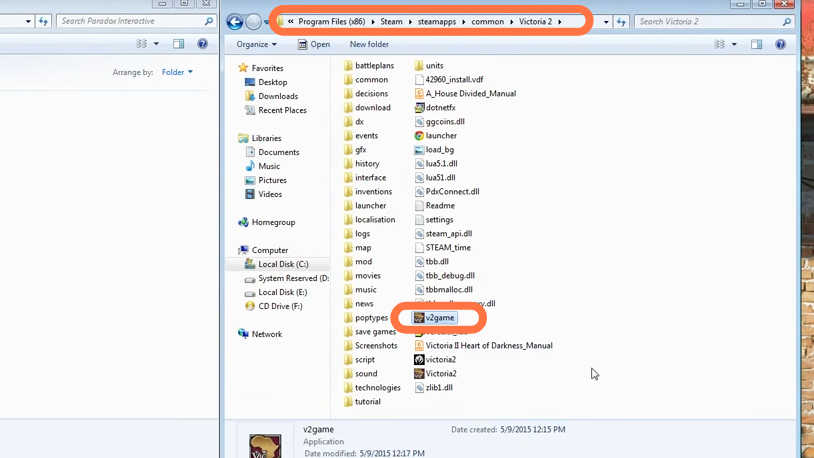
How to Install Victoria 2 Mods
This guide will let you know how to Install Victoria 2 Mods. You have to follow the step-by-step instructions below to install it. 1. You will need to go to the main directory of the game. If it’s in the steam application, then it will be “Program files > Steam > steamapps > common >…
-

How to install the No Camera Auto Centering mod in Cyberpunk 2077
No Camera Auto Centering is a simple mod that disables the camera auto-centering feature in cars. Before installing the Mod, make sure that you have a mod folder in the directory (Cyberpunk2077/archive/pc), if you don’t have a mod folder then create a new folder and name it “mod”. In case, if you have a patch…
-

How To Make 2*2 Target Block Door
The 2*2 Target Block Door can be opened by striking the target blow with a bow. In this guide, you will learn the method to make a 2*2 Target Block Door. In order to make one, you have to place 12 pistons on the ground in the same way as shown in the following image. …
-

Showdown Singles Challenge Guide – Brawl Stars
It is a complete guide for the single-day duo showdown challenge. You will find helpful tips & tricks to be successful in this challenge. Stage 1 – Rockwall Brawl! In this duo showdown challenge, you will win only for first, second, and third; below will count as a loss. You can re-buy lives for one…
-

Increase your Steam Deck Performance for Free – CryoUtilites 2.0
This guide helps to improve steam deck performance by installing deck utilities which provide some suitable settings, allow synchronizing data and delete unwanted data. You need to completely follow the guide to enhance your steam deck performance conveniently. Step 1: Open the browser, go to steam deck utilities using this Link, right-click the download link…
-

How You Can Kill River in Cyberpunk 2077
River ward is a good guy and he has an interest in ladies other than Judy. He is not a bad guy, but he refuses to leave the night city with you, you can get rid of him. If you want to get rid of him, the first thing you have to do is his…
-

How to install Weapon Swap Stuttering Fix Mod in Starfield
When you change weapons with one or more modifiers, you might face stuttering. Weapon Swap Stuttering mod will help you to fix that stuttering. To install the Weapon Swap Stuttering Fix mod in Starfield, you can follow these straightforward steps: For Steam Users: Firstly, download the Weapon Swap Stuttering Fix mod from the Nexus…