
Category: Guides
-

Top Anime Clown Characters
Whether you’re a fan of anime or not, it’s hard to deny how irresistible the character of a clown is. Take a look at our list ranking the best anime clowns.
-

How to install the Johnny Silverhand – Glitch Effect Removal mod in Cyberpunk 2077
Johnny Silverhand – Glitch Effect Removal is a must-have for every gamer. It removes the glitchy effect from Johnny, making him look just like he used to. Before installing the Mod, make sure that you have a mod folder in the directory (Cyberpunk2077/archive/pc), if you don’t have a mod folder then create a new folder…
-

How To Make An Orange Concrete Powder
Orange concrete powder is used to make orange concrete blocks. If a concrete powder block comes into contact with water it will solidify into a block of concrete. To Make an Orange Concrete powder, you will need Sand Blocks, Gravel, Orange Tulip and Orange Dye. Please follow the following steps to make Orange Concrete Powder. …
-

How to Get Gifts – Dragon Ball Xenoverse 2
This guide will let you know how to get GIFTS in Dragon Ball Xenoverse 2. When the gifts are available, they will show in the event shop. So you will need to go to the event shop and click on the gift tab. You will see all of the gifts there, as shown in the…
-

How to Bank Off-Net Passes in NHL 22
This guide will let you know how to Bank Off-Net passes in NHL 22. You have to follow the simple steps in this guide to do so. The pass of the back of the net is very useful in changing the defender’s direction. You will need to press the L1 button and then press the…
-

How to Live Longer (Change Lifespan Length) – The Sims 4
This guide will let you know how to live longer (Change Lifespan Length) in The Sims 4. 1. You will need to press ESC key on your keyboard or click on the dotted line at top right corner of the screen. 2. After that, click on Game options in the Menu screen. 3. Now click…
-

How to Get Voidplumes in Warframe
In this guide, you will come to know how to get Void plumes in Warframe. Go through the guide and follow all the instructions carefully to get them. Void plumes are found only on the Zariman tileset. However, there are several ways you can get them, with some ways being a little bit harder than…
-

Best Dog Pokémon in The Series
There are tons of weird dog creatures in the Pokémon universe, they’re man’s best friend. This guide will provide you with all the best canines in the entire franchise.
-

20 Secret Flicker Tricks Of Mobile Legends Heroes
This guide provides 20 secret Flicker tricks for Mobile Legends heroes. 1 PAQUITO Ultimate / Flicker Paquito can take down opponents in no time with this combo. It is a bit hard to pull off, but with practice, it becomes much easier to execute. 2 BENEDETTA Skill 2 / Flicker This is a simple and…
-

How to Fix PS5 Automatically Turning On or OFF with TV
If your PS5 is automatically turning On or OFF with the TV, then you have come to the right place. This guide will provide you with an easy method to get rid of this issue. First, you have to access the settings menu and then turn off the “Enable HDMI Device Link” feature. Go to…
-
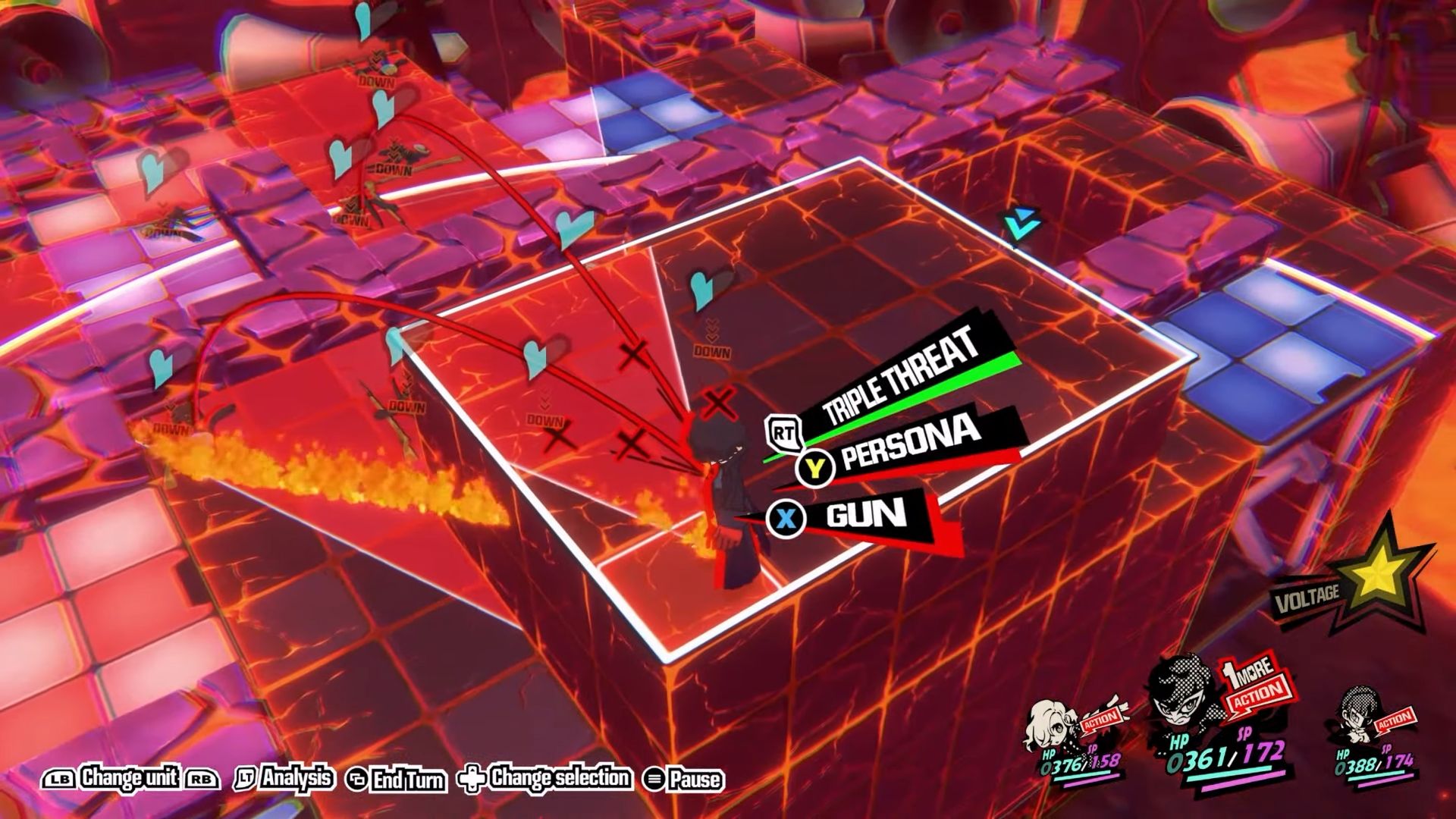
How to Complete Quest 12 In Persona 5 Tactica
In this guide, you will learn how to complete Quest 12 in Persona 5 Tactica. Go through the guide and follow all the instructions to complete it. Firstly, choose any character for the third position as they’ll mainly handle switches. Start with Joker for dealing damage and place him on the red switch. Move Joker…
-

How to Fix Contacting Destiny 2 Servers
This guide will let you know how to fix the Contacting Destiny 2 Servers. You have to follow all the instructions carefully to fix it. First, you will need to go to network settings and tap on the network option. You have to click on settings from the left menu and go to the Set…
-

Multi Versus Easy Anti Cheat Issues On PC – 30005 Error
In this guide, you will learn how to fix Multi Versus Easy Anti Cheat Issues On PC. The first thing you will need to do is just ensure that the Windows is up to date. Right-click on the Start menu, go to settings, and then navigate to Update and Security. After that, click on “check…
-

How to Install Xbox Game Pass on PC
In this guide, you will find out how to install Xbox Game Pass on a PC. 1- First, you have to open your web browser and go to www.xbox.com. It will take you to the official site of Xbox. You need to sign in by clicking on the Profile button on the top right corner…
-

Core Keeper Co-Op: How To Play Multiplayer
Pugstorm created Core Keeper, a Sandbox game. You’ll need to use your brains and strategic thinking to navigate the cavern and dodge frightening animals hiding in the shadows. But it’s not just about surviving; you’ll also need to manufacture new gear and upgrade the Core, a mysterious and powerful relic that holds the key to…
-
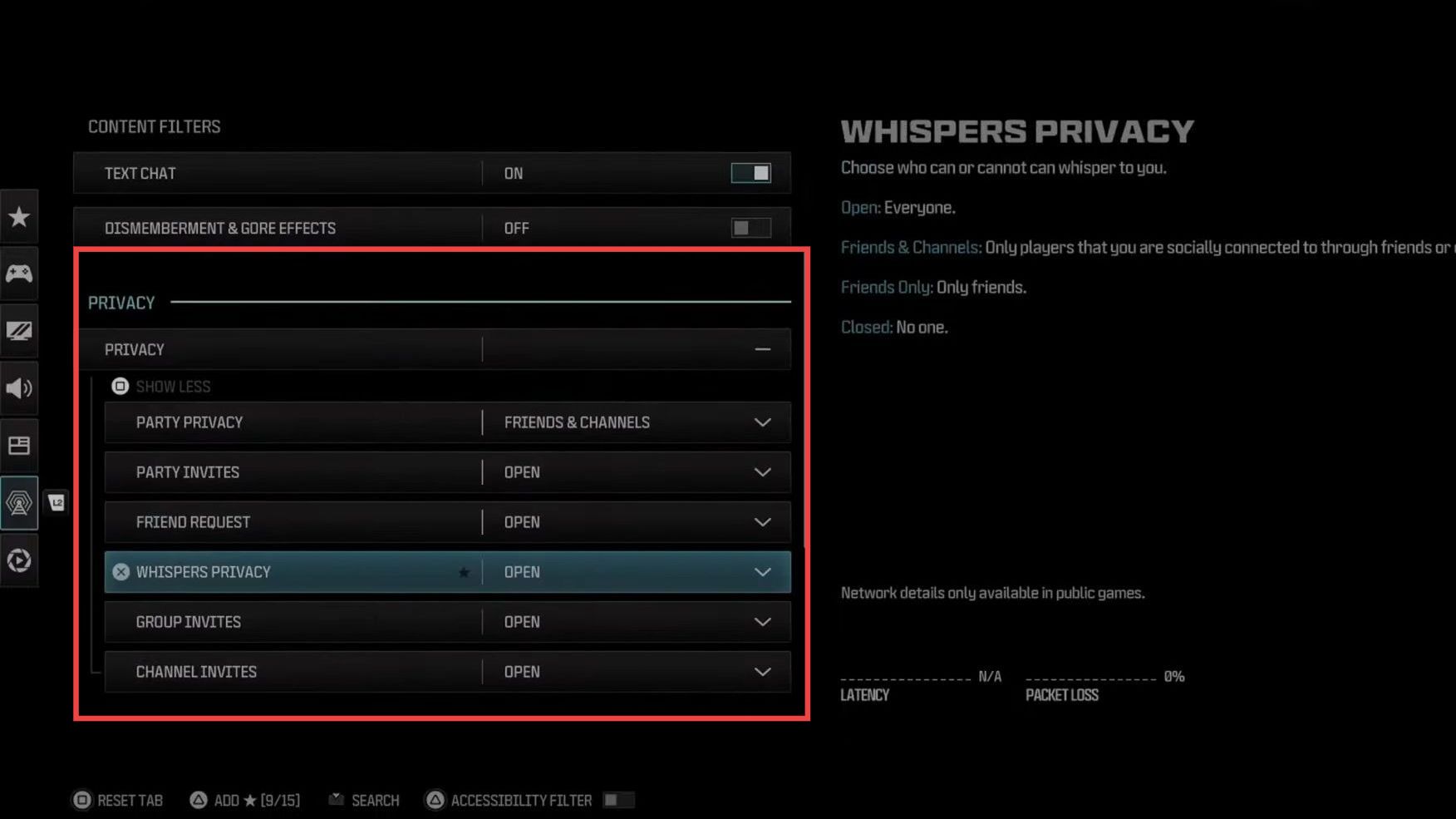
How to Turn Off Game Invites & Friend Requests in COD Modern Warfare 3
In this guide, you will find how to stop invites in the game for Call Of Duty Modern Warfare 3. Go through the guide and follow the simple steps to turn it off. If you keep getting invite notifications, then you will need to press the Options and navigate to Settings. Press the L2 button…
-

Roblox Skywars Codes 2023 (Updated)
In the Roblox Skywars game, you will find yourself on a floating island. You have to build your own base and battle against the enemies to destroy them. Defeat all of them to show your dominance and conquer the sky. Active Codes CODES REWARDS dragon Use it to get a dragon skin Frankenstein Use it…
-

How to Fix Network Lag, High Ping & Packet Loss in Overwatch 2
This guide will let you know how to fix the network lag, High Ping & Packet Loss in Overwatch 2. Go through the guide and follow all the steps carefully to fix it. Overwatch 2 Server Status First, you will need to verify the Overwatch 2 Server Status page to ensure that your network issues…
-

What’s Okay To Delete In Sims 4 Files
If you’re a passionate player of The Sims 4 and want to declutter your game files without causing any future issues, this guide is for you. We’ll provide you with a step-by-step process and recommendations on which files can be safely deleted from your Sims 4 directory. Step 1: Launching the Game Regardless of whether…
-

Red Dead Online (RDO) Lobby Manager – Setup Guide
In this guide, you will find how to set up Red Dead Online (RDO) Lobby Manager without hacks or cheats. By setting it up, you will be able to play with your friends in a private lobby. Download (RDO) Lobby Manager In this section, we will take you through the steps to download (RDO) Lobby…