
Category: Guides
-
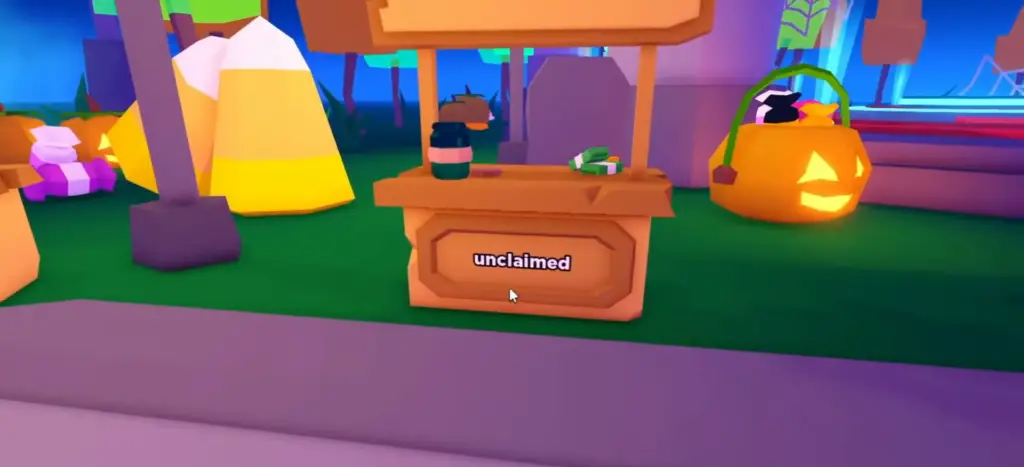
How to Claim a Booth in Pls Donate
In this guide, you will find how to claim a Booth inside the Please Donate Roblox game. Go through the guide and follow the simple steps to do so. First, you need to walk around those things that say Claim Text Here, and they must have been written unclaimed at the bottom. Walk up to…
-

How to Change Email Address on EA Account
In this guide, you will learn how to change mail addresses on EA accounts. You have to follow a few steps, which will surely help you. To do this, go to the browser and search for EA.com and Sign In by clicking on the top right corner of the profile icon. After that, you must…
-

How to Turn A Ghost Sim Back To Human (Death By Steam) – The Sims 4
In this guide, you will come to know how to turn a Ghost Sim back into a Human (Death By Steam) in The Sims 4. 1. If your sim died by steam, you can get them back from Ghost to human. You have to press CTRL+Shift+C altogether and hit enter on your keyboard to open…
-

How to Farm, Raise Animals & Grow Fruit Trees – Dinkum
This guide will tell you how to farm, raise animals & grow Fruit Trees Australian Life Simulator in Dinkum. For raising crops You can start making the farm by getting licenses from Fletch. You have to get a farming license, and a landscape license. You need to buy a few more things to make a…
-

Tropico 5 Cheat Codes
Tropico 5 is a management and construction simulation game that was originally released in 2014. This game took the hearts of the players after just a few days of release and is still ruling over their hearts. Tropico has the perfect balance between macro and micro management. This is the best Tropico game in the…
-

Fix Access Violation Error In The Chronicles Of Myrtana: Archolos Game
This guide will let you know how to fix Access Violation Error in the Chronicles Of Myrtana: Archolos Game. Step 1 You have to go to your Steam and right-click on your game, select manage, and then you have to tap on the “browse local file” option, as shown in the image below. Step 2…
-

How to Remap Controller Buttons & Layout in Modern Warfare 2
In this guide, you will find out how to REMAP Controller Buttons & Layout in Modern Warfare 2. First of all, you have to press options and then go to settings on the top right side of your screen. After that, go to the controller and select the Edit button layout option. It will be…
-

Best Skyrim Assassin Mods to Try Out
If you’re a fan of the video game Skyrim, then you probably noticed that there are some mods available for this game. This guide will provide you with the best Skyrim Assassin Mods to try out. BETTER ASSASSINS MOD The Better Assassins Mod is the perfect way to take your Skyrim experience to the next…
-
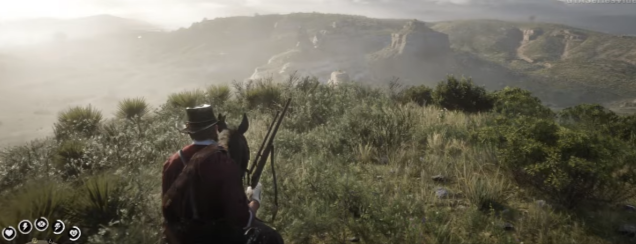
Sharpshooter Challenge – Kill someone 660 feet away with a rifle : RDR2
Sharpshooter 6: Kill Someone At Least 660 Feet Away With A Long Scoped Rifle Its prerequisite is to complete “The Sheep And The Goats” (Chapter 2). The rewards are 100 Deadeye XP and $15. In this guide, you will learn how you can complete this challenge in Red Dead Redemption 2. You have to equip…
-

Weapons Expert Challenge – Kill 4 Enemies with the Same Tomahawk : RDR2
WEAPONS EXPERT 7: Kill 4 consecutive enemies by throwing and retrieving the same Tomahawk. Its prerequisite is to complete the “Paying a Social Call” (Chapter 2), and the rewards are “Weapons Expert Off-Hand Holster available at any Trapper”. This guide will let you know how you can complete this challenge in Red Dead Redemption 2. …
-

How to Ping Enemy, Items & Locations in WARZONE 2
In this guide, you will find out how to PING ENEMY, Items & Locations in WARZONE 2. The first thing you will need to do is boot up your game, then tap on the d-pad and press the up arrow. You have to hold it down to open a menu. In this menu, you will…
-
How to Install Random Dice Creations Mod in Baldurs Gate 3
“Random Dice Creations” includes a number of unique custom dice designs. These dice come in different styles, and while some may have numbers that are challenging to read. To install the Random Dice Creations mod in Baldur’s Gate 3, follow these simple steps: Step 1: Download the Random Dice Creations mod from the Nexus site.…
-
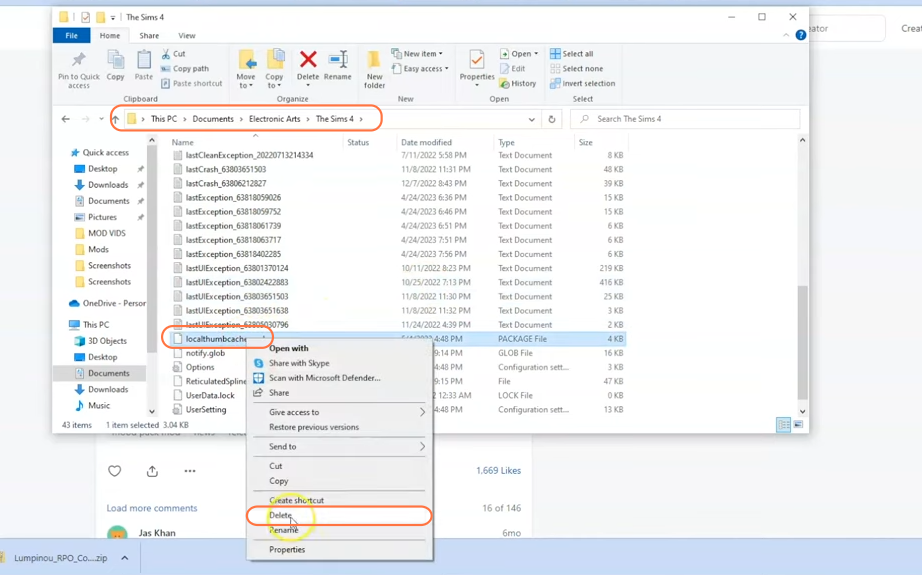
How to Install Relationship & Pregnancy Overhaul Mod For Sims 4
This brief guide will teach you how to install the Relationship and Pregnancy Overhaul Mod, also known as the Woohoo Wellness Mod, in The Sims 4. This incredible mod introduces a variety of exciting features that helps expand your Sims’ family dynamics and enhance their relationships. Get ready to explore new possibilities and enjoy the…
-
CS2: Invite without friends list
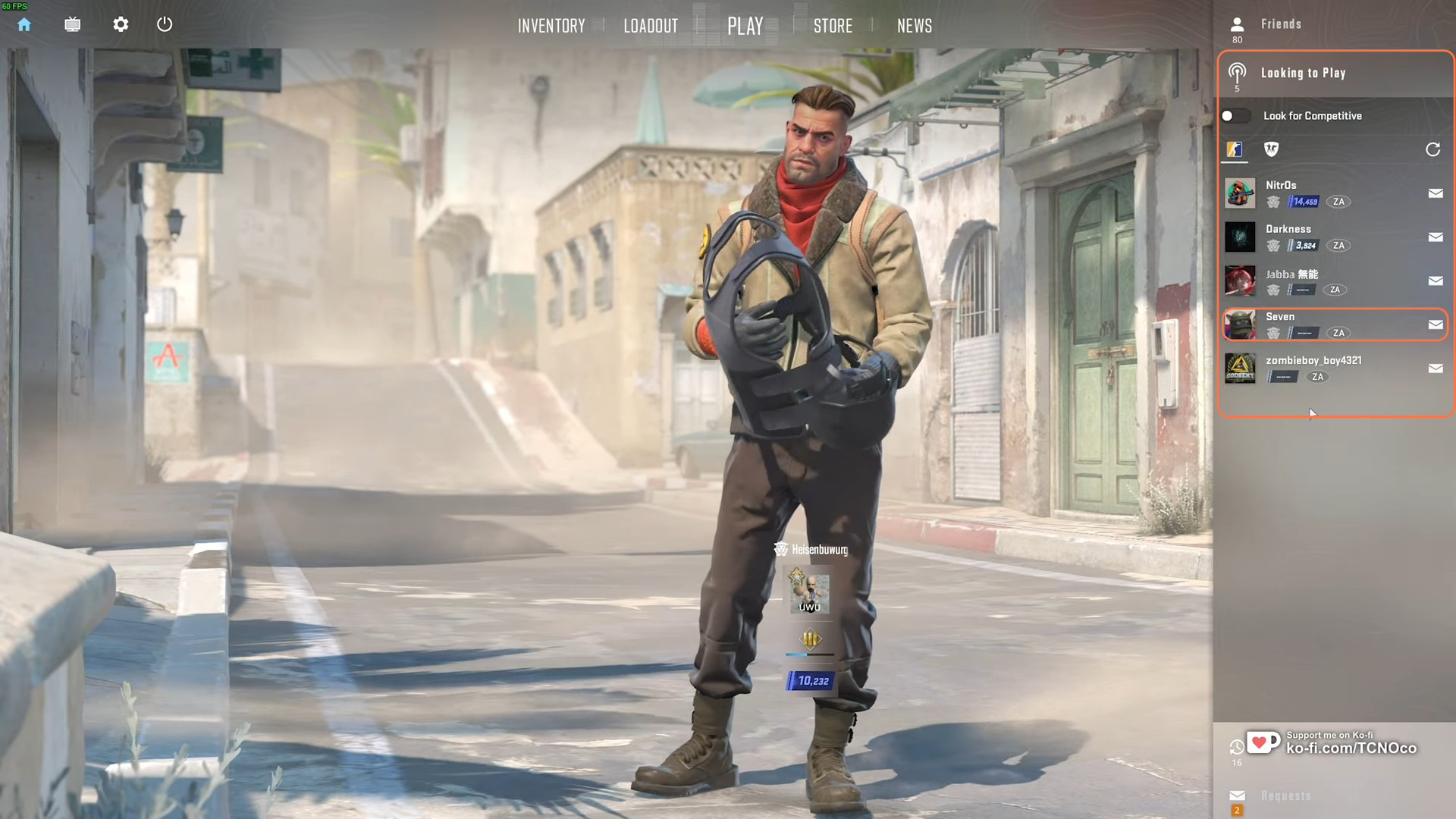
This step-by-step guide will walk you through various methods to invite friends to your CS2 lobby without the need for prior Steam connections. Step 1: Access ‘Looking to Play’ Feature Launch Counter Strike 2 and navigate to the far right-hand side of the screen. Select “Looking to Play” to find nearby players available to invite…
-

Roblox Billionaire Simulator Codes 2023 (Updated)
The main objective of the Billionaire Simulator game is to get as much money as you can. You have to explore the world and dominate the world with the power of money. Billionaire Simulator Codes: You will have real fun playing the game while using the Roblox codes. You will have the best game experience…
-

Lasso Guide – Roblox The Wild West
In this guide, you will learn about Lasso in Roblox Wild West. You can purchase lasso at general stores. It is in the “Special” tab and costs $200. To use it, you will need to equip it. Then hold the left click until the bar turns red and let it go. But be careful and…
-

How to Fix HDR Washed Out Colors on PS5
This guide will let you know how to fix HDR Washed Out Colors on PS5. First, you will need to unplug your tv and your PlayStation from the wall outlet for approximately 1 to 2 minutes, then plug it back in and try to use a different HDMI cable. Because there might be a chance…
-

Tower of Fantasy: Which Server to Pick
In this guide, you will find out which server to pick in Tower of Fantasy. The thing you’ll need to know when picking your server is that the game gives you a default server and it may not be the one you necessarily want to play on. So you have to make sure to click…
-

How to Emote in Evade – Roblox Evade
In this guide, you will find how to Emote in Evade in Roblox Evade. First of all, you have to gather up some coins by playing the game and then go to the equipment. After that, select the character. Then select emotes and it is where you buy emotes. You can buy the emote you…
-

How to Sign Out & Unlink Activision Account in Warzone 2
In this guide, you will find out how to Sign Out & Unlink your Activision account in Warzone 2. First of all, you have to open the browser on your PC and go to callofduty.com. After reaching the website, you have to click on the log-in button on the top right side of your screen.…