
Category: Guides
-

Best Minecraft Horror Mods to Try Out
With thousands of mod downloads and counting, Minecraft has become one of the most-played games. Many people are using mods that add to their gameplay experience. Here is a list of some of the best Minecraft Horror Mods to try out. Nightmare Horror Map Minecraft Horror Mod is a great mod that will add new…
-

How to Fix ControllerGamepad Not Working With FIFA 23
This guide will let you know how to fix the Controller/Gamepad Not Working with FIFA 23 on PC. There are multiple fixes, if the first one doesn’t work, you can go for the next one. 1- First, you have to disconnect your controller, then connect it again, and check if this fixes your issue. 2-…
-

Girls X Battle 2 Gift Codes 2023 (Updated)
Girls X Battle 2 is a role playing game which was released worldwide in 2018. There are more than 100 battle girls in the game and all of them are completely customizable. But must keep in mind that the costume will affect the overall performance of a battle girl. You have to make the best…
-

How to Fix the GTA V Activation Required Error in Grand Theft Auto 5
This guide will teach you how to fix the GTA V Activation Required Error in Grand Theft Auto 5. You have to follow all the instructions carefully to eliminate this error. First, you will need to download the file from the link given below. https://shrinke.me/MIghUl When you open the link, you need to click on…
-

How To Make A Leather Horse Armor
Horse armor is a special type of armor for the horse. You can put it over a horse. To make Leather Horse Armor, you just need Cow or Horse Leather and then have to use the Crafting Table. Please follow the following steps to make Leather Horse Armor. Cow or Horse Leather In order to…
-

How to Get Daily Adventure Incense in Pokemon go
In this guide, you will find out how to get Daily Adventure Incense in Pokemon Go. Now you’ll get daily adventure incense in Pokemon Go and it is for everyone. You can use it and walk around to attract wild pokemon and it will work for 15 minutes. Also, you’ll get mysterious incense research related…
-

How to Take and Find a Screenshot on Steam
In this guide, you will find out how to take and find a screenshot on Steam. 1- First, you have to launch Steam and then click on the Steam button in the top left corner of your screen. A drop-down menu will appear, you need to click on the settings and then click on In-game…
-

Best Minecraft Alien Skins to Try Out in 2023
Millions of people are playing Minecraft and some of them are wandering around to find the skins mods to customize their gameplay. This guide will provide you with the Best Minecraft Alien Skins to Try Out. The Classic Alien The Classic Alien is a Minecraft skin set that features the iconic alien from the movie.…
-
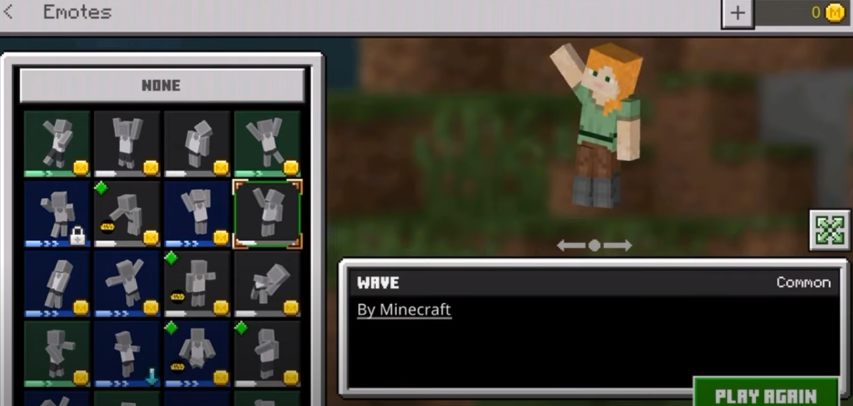
How to Get Emotes In Minecraft Mobile | Free Emotes In Minecraft Pe
This guide will tell you how you can get the emotes for free in Minecraft PE. You will also learn which emotes pack is needed for this and how to perform an emote. In order to get free emotes in Minecraft, you have to download an emotes pack first. Open the link below and download…
-
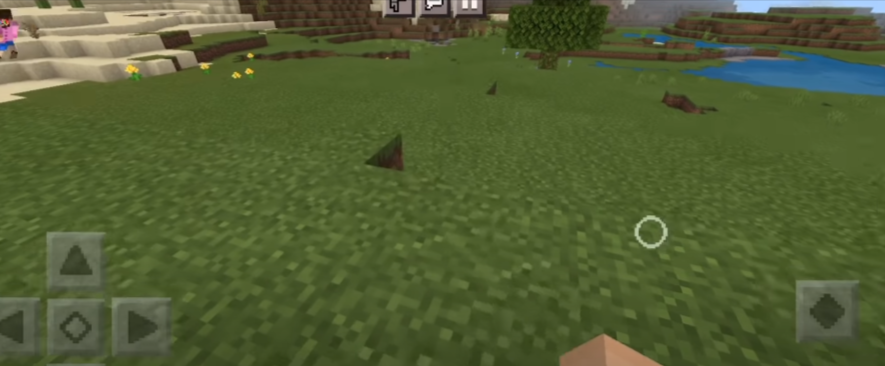
How To Get Small Touch Circle In Minecraft Pe
In this guide, you will learn how to get a Small Touch Circle in Minecraft Pe. It will help you to aim and place the blocks on the ground. You can also play it in the third person view. Go through the guide, and follow the simple steps to get it. Step-1 The first thing…
-

How Do games Stop us from Crossing Map Boundaries
This guide will let you know how games prevent you from crossing the map boundaries. 2010 Motocross Madness 2 Let’s see what happens if you cross the border. It will flick you away like this if you are trying to cross borders. 2010 Mafia II Buildings and especially walls prevent the player from crossing the…
-
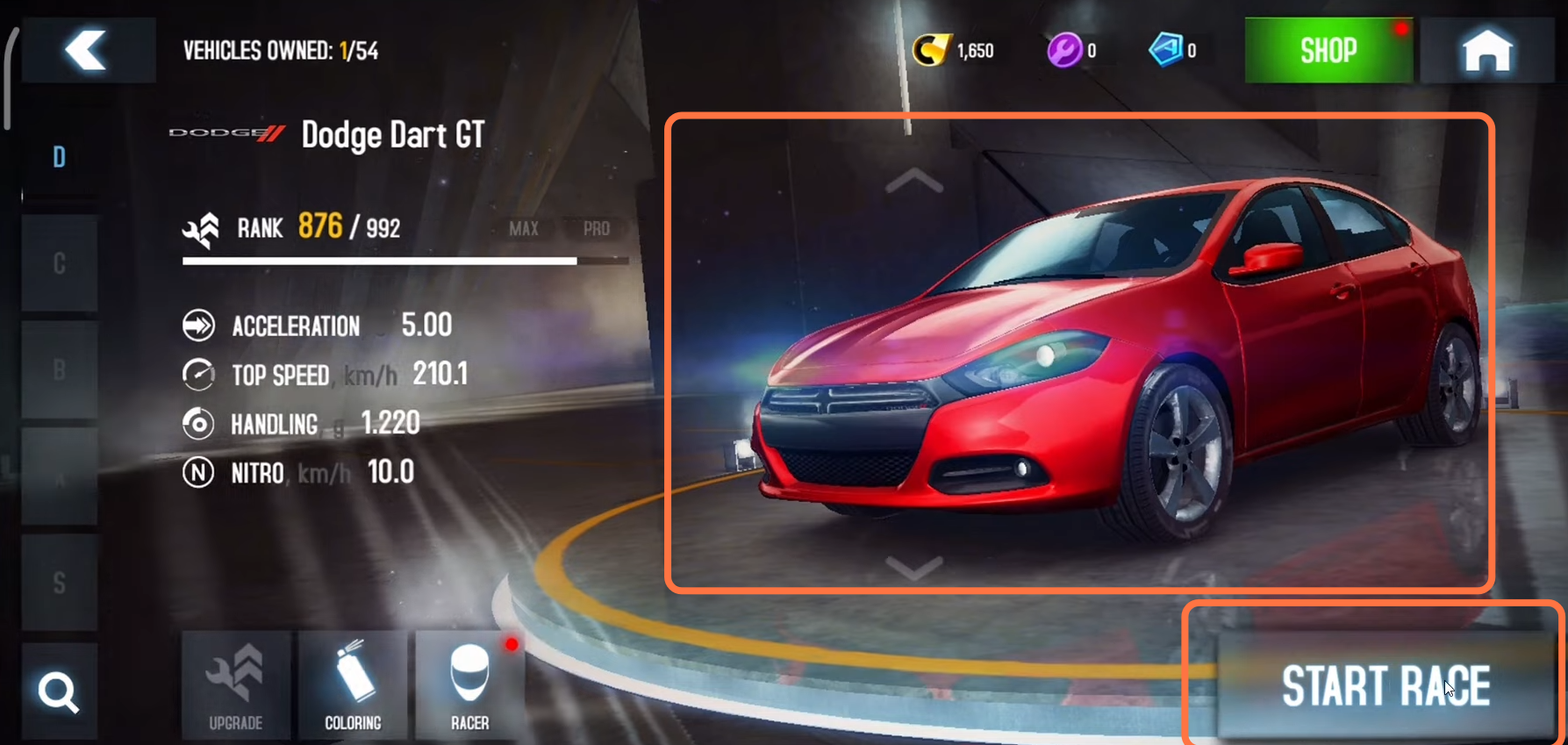
How to Add Friends in Asphalt 8 Airborne
This guide will tell you how to Add Friends and Play with Friends in Asphalt 8 Airborne. First, you have to make sure that your friend is on the same internet connection that you are using, and then click on the Play button on the home screen. After that, scroll down and click on Quick…
-

How to Find Activision ID in Call of Duty Warzone 2
In this guide, you will learn how to find Activision ID in Call of Duty Warzone 2 (Add Friends with ID). You will need to make sure that you have someone’s activation id as it will help you to add them as your friend in Call Of Duty Modern Warfare 2. You will not be…
-
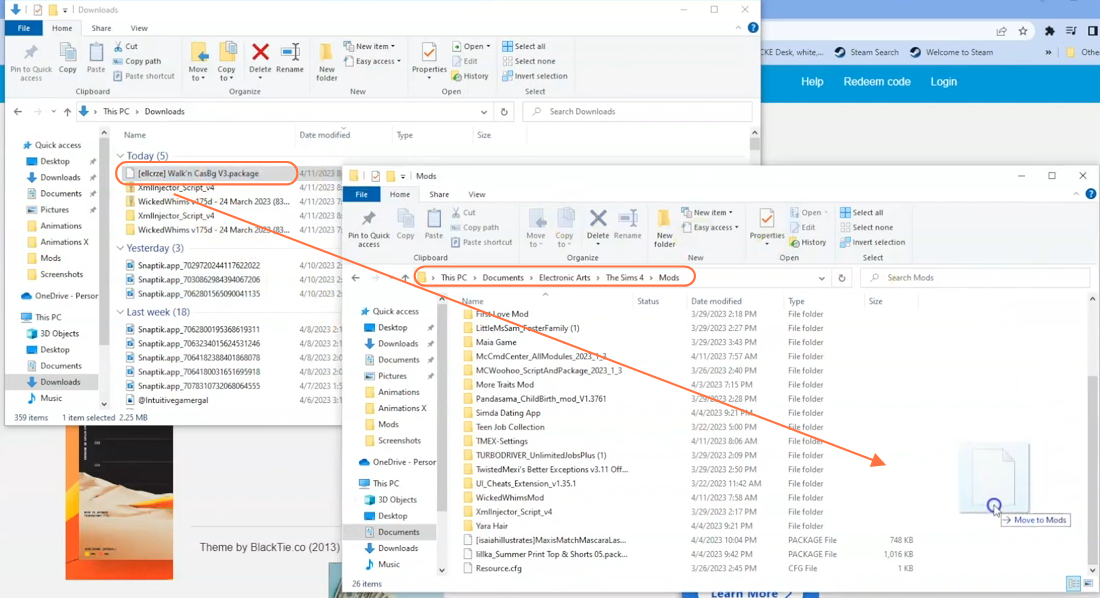
How to Install Walk N Cas Background CC For Sims 4
In this comprehensive guide, we will let you know how to install the Walk N CAS Background Mod in The Sims 4. This incredible mod adds a touch of modernity and visual appeal to your Create-a-Sim (CAS) experience, replacing the traditional background and making it more engaging and captivating. Follow the steps below to install…
-

How to Change Server Region in Fortnite
This guide will tell you how to Change Server Region in Fortnite. You have to follow all the instructions carefully to change it. You first need to go to the main screen and click on the three horizontal lines at the top right of your screen. A drop-down menu will appear and you have to…
-

How to Complete Ghost Rider Legendary Challenge Dark Heart In Midnight Suns
In this guide, you will find out how to complete the Ghost Rider’s legendary challenge in Midnight Suns. You just have to follow the simple steps below to complete this challenge. The first thing you will need to do is use the Lash ability on the guy in the left corner. there and drag bring…
-

How to Fix Life Is Strange 2 English Language
This guide will help you to fix Life is Strange 2 in English. You need to follow the steps in the guide to accomplish the task conveniently. Step 1: First, open the game, go to settings, and click the third option. Step 2: After that, change the language to English from the listings, and apply…
-
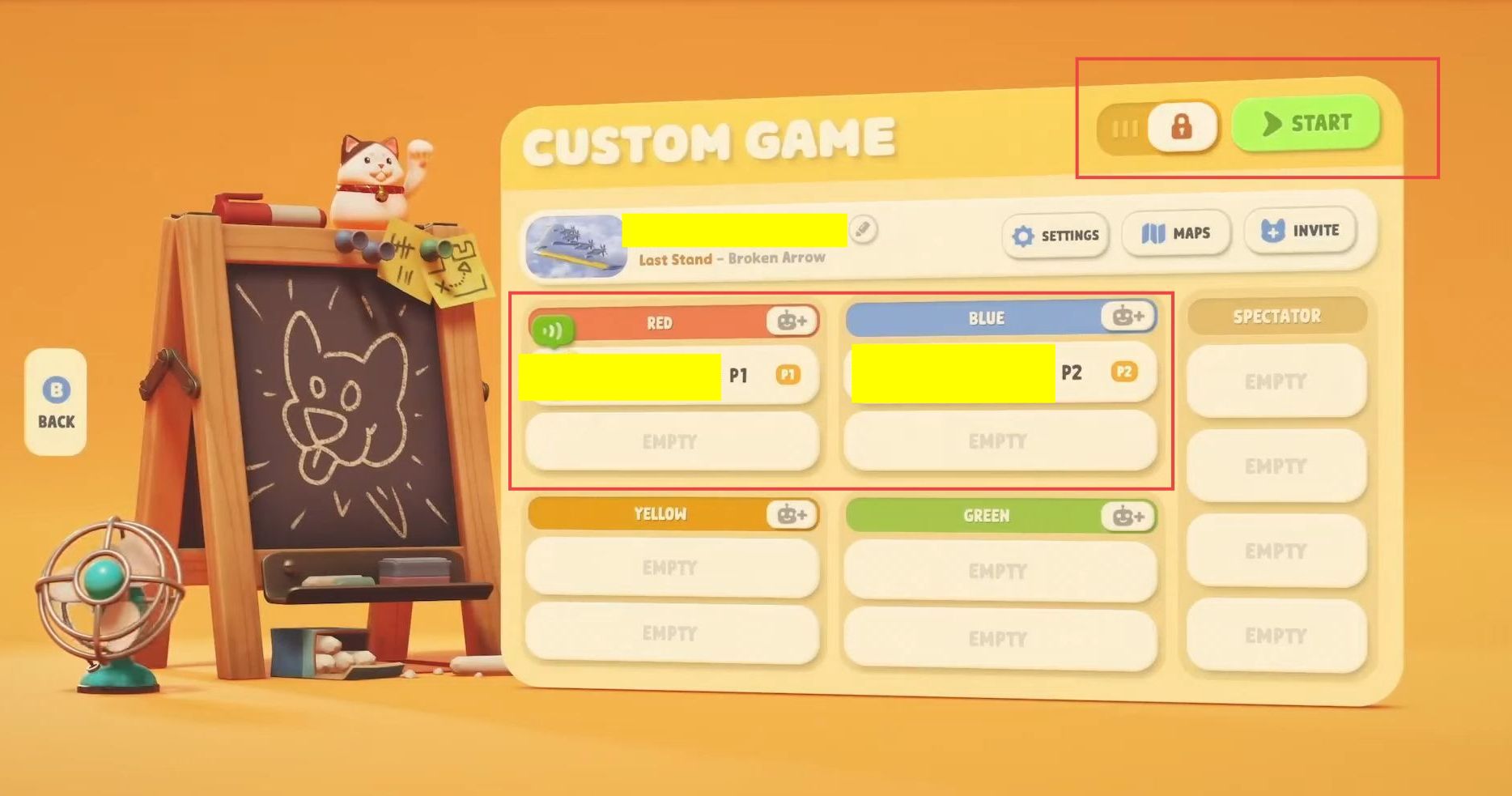
How to Play Party Animals Local Multiplayer Split Screen (Xbox / PC)
This guide will let you know how to play the Party Animals in local multiplayer split-screen mode on your Xbox or PC. Launch the game and navigate to the option called Custom Game in the game’s menu.In the Custom Game menu, you will find various game modes. Click on the one you want to play…
-

Snowrunner – PS4 Save Game
In SnowRunner, you play as an off-road truck driver, completing jobs like delivery missions and rescue operations in treacherous environments. The game features locations like Alaska, Russia, and Michigan, with challenging roads and snowy conditions. You’ll navigate through realistic weather conditions and muddy terrain that affects your driving control. Your main task is to deliver…
-
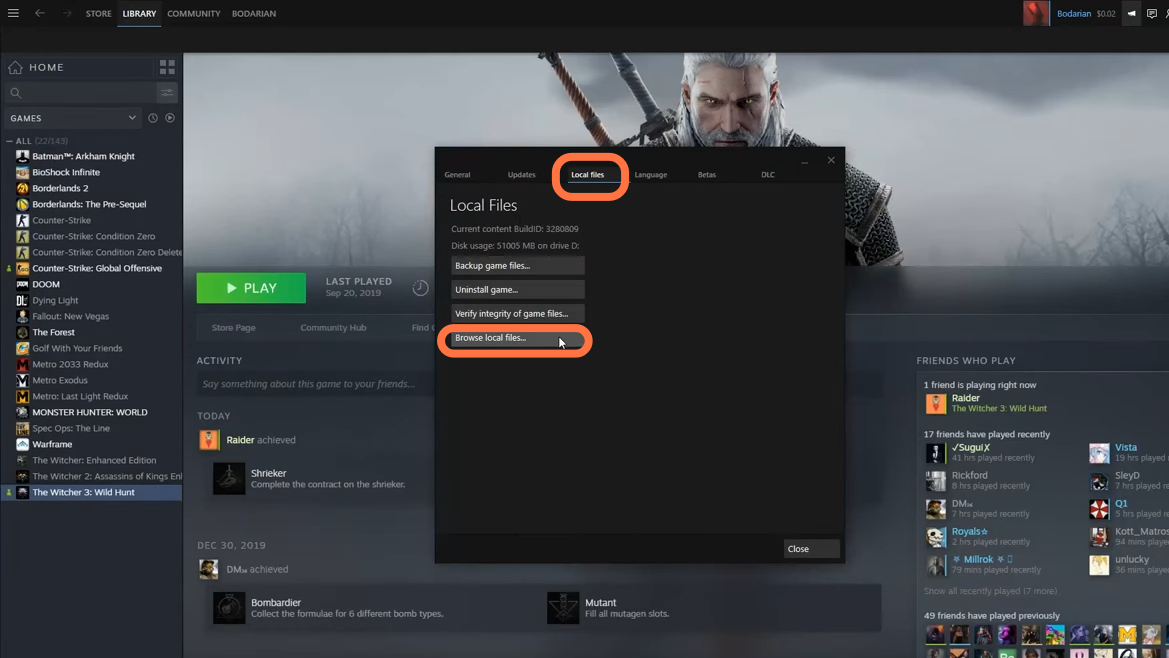
How to Install Mods in Witcher 3
In this guide, you will find out how to install Mods in the Witcher 3 game. 1. First of all, you will need to open the Steam app and go to the Witcher 3 game at left side of the screen. Right-click on it and go to properties. 2. Then go to the Local Files…