
Category: Guides
-

How to Buy Clothes in GTA 5 Online
This guide will tell you how to buy clothes in Grand Theft Auto V. You have to follow the step-by-step instructions below to do so. The first thing you will need to do is go to the Online section of the game and then head inside any clothing store. After that, press E to browse…
-
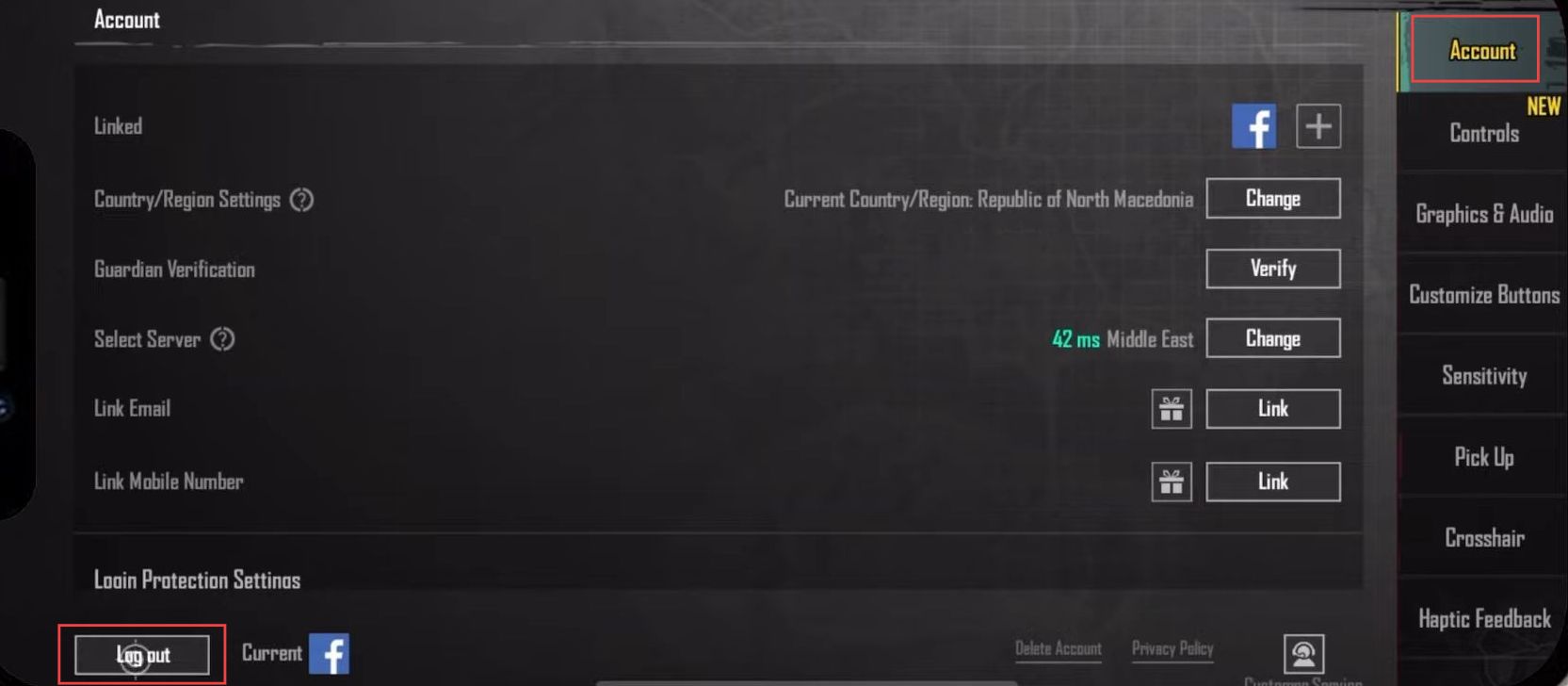
How to Change Facebook Account On PUBG Mobile
In this guide, you will find the most convenient method to change your Facebook account on PUBG mobile. You first have to log out of your account and then you will be able to log in with Facebook. First, you have to go to the main menu of PUBG Mobile and click the top side…
-

Active Camo in Halo Infinite
This guide explains why Active Camouflage is one of the best equipment options in Halo Infinite. Active Camouflage lasts for exactly 30 seconds after activation. Walking, clambering, and crouching do not remove the camo. Do not sprint while using it, as you can be seen. Walking speed is not much slower than sprint speed, and…
-

How to Turn A Ghost Sim Back To Human (Death By Overexertion) – The Sims 4
This guide will let you know how to turn a Ghost Sim back into a Human (Death By Overexertion) in The Sims 4. 1. If your sim died by overexertion, you can get them back from Ghost to human. Press CTRL+Shift+C altogether and hit enter on your keyboard to open cheat box 2. A white…
-

Settings for eFootball 2023, Increase FPS
This guide will tell you how to BOOST FPS and increase performance in eFootball 2022. First, you have to make sure that your Windows is fully up to date and then make some basic changes in the Windows game section. After that, make a few changes in the GPU settings, and Windows graphic settings. You…
-

Stellaris Console Commands (Cheat Codes)
Stellaris was an instant hit when it came out in 2016 and to this day, people play this game like it was released yesterday. After putting so many hours into mastering the gameplay, it is fair to assume that certain elements of the game might have started to seem dull and could use some spicing…
-

Freeman Guerrilla Warfare Cheat Codes
The Freeman Guerrilla Warfare game was released in 2018 and this game took the heart of game lovers in a very quick time. It is an action strategy RPG game and very popular in its genre. The game story is presented on some imaginative island being controlled by the battling groups. You will not start…
-

How to Unlock New Elf Opera Skin & 3rd Paladin Skill in Soul Knight
This guide will let you know how to unlock the New Elf Opera skin and 3rd paladin skill in Soul Knight. Fragments of Elf skin are dropped by monsters in a new hidden biome Grave and Paladin’s 3rd skill fragments by the boss of new hidden biome grave. So, the first step is to know…
-
Valorant Error Code 39 – There Was An Error Connecting To The Platform
The error code 39 usually occurs because of server connectivity issues but there can be some other reasons as well. You have to follow the simple steps to fix this error. 1. First, you will need to search for Services and tap on “run as administrator”. 2. After that, left click on virtual disk and…
-
How to Turn A Ghost Sim Back To Human (Death By Murphy Bed) – The Sims 4
In this guide, you will get to know how to turn a ghost Sim back into a human (Death By Murphy Bed) in The Sims 4. 1. If your sim died by Murphy’s bed, you can get them back from Ghost to human. You have to press CTRL+Shift+C altogether and hit enter on your keyboard…
-
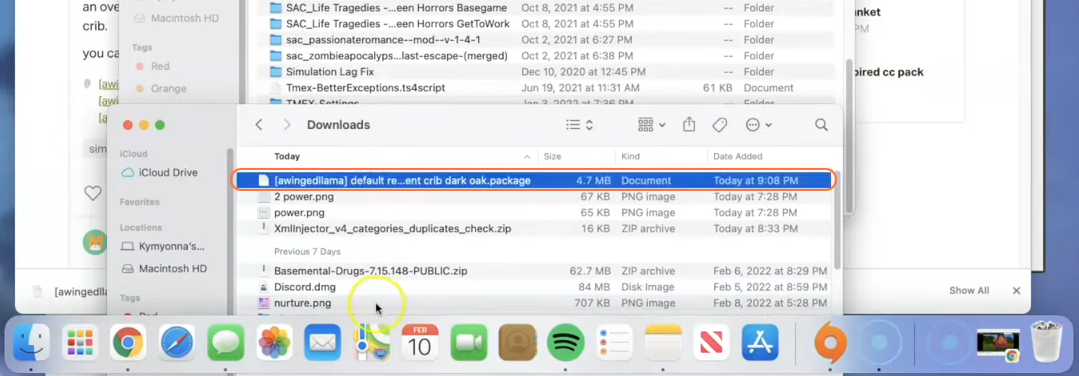
How to Install Baby Crib Override Mod For The Sims 4
In The Sims 4, providing the best care for your virtual family includes tending to your virtual babies. While the game offers bassinets as the default sleeping option for infants, the Baby Crib Override mod introduces a new level of comfort and style with cribs, making it a must-have addition for any Sim parent. This…
-

How To Make Smooth Stone Slab
Smooth stone slab is an important item to have in your inventory. It is made up of smooth stone and can be used to craft the armor stand. This is a detailed guide that will tell you how to make smooth stone slabs. The first thing that you need to get is the cobblestone. Move…
-

Where To Find Secret Pirate Treasure In Genshin Impact
This guide will let you know where to find the Secret Pirate Treasure In Genshin Impact. Go through the guide and follow the instructions to find it. When you start the quest, you will get the first clue. Read it, and it will give you some instructions about where to find the first treasure. You…
-
How to Fix PS4 Error NP-32439-0 User Will Be Logged Out PS4
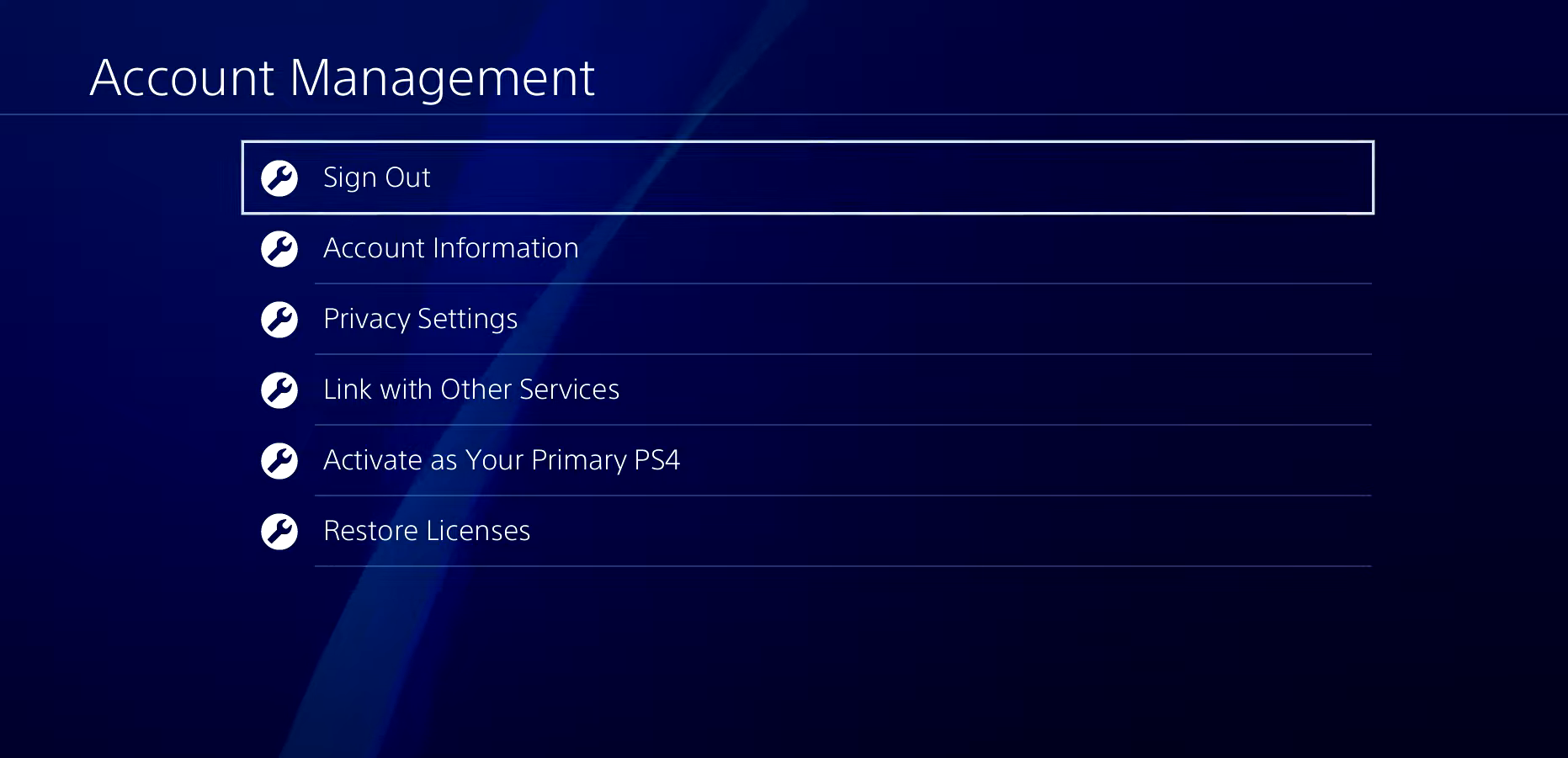
This guide will tell you how to fix the PS4 error NP-32439-0 User Will Be Logged Out of PS4. 1- To fix this error, you first need to go to settings and navigate to Account Management. You have to sign out and remove your account completely from the console itself. 2- Once you have done…
-
How to Install Vestige of Divergence – Whisper Mod in Baldurs Gate 3
The “Vestige of Divergence – Whisper” mod brings Vax’ildan’s iconic weapon from Critical Role into Baldur’s Gate 3. It captures the spirit of the original while adapting to the mechanics of BG3, and it’s obtainable at various points in the game. To install the Vestige of Divergence – Whisper mod in Baldur’s Gate 3, follow…
-

Modern Warfare: How to Save Game
Call of Duty: Modern Warfare is a first-person shooter with both single-player and multiplayer mode. It is available on PlayStation 4, Xbox One, and Microsoft Windows. The single-player campaign in Modern Warfare is more realistic than ever. In the campaign, you have to make quick decisions. Call of Duty: Modern Warfare includes an auto-save feature…
-

Genshin Impact Look Around Mingyun Village Guide
In this guide, you will get to know how to complete a quest called A Tree that Stands Alone in Mingyun Village in Genshin Impact. It will task you to explore the village. You need to go to the village’s location to start the quest, as shown on the map below. You will find an…
-
How to Install Rampage Trainer – GTA Mods
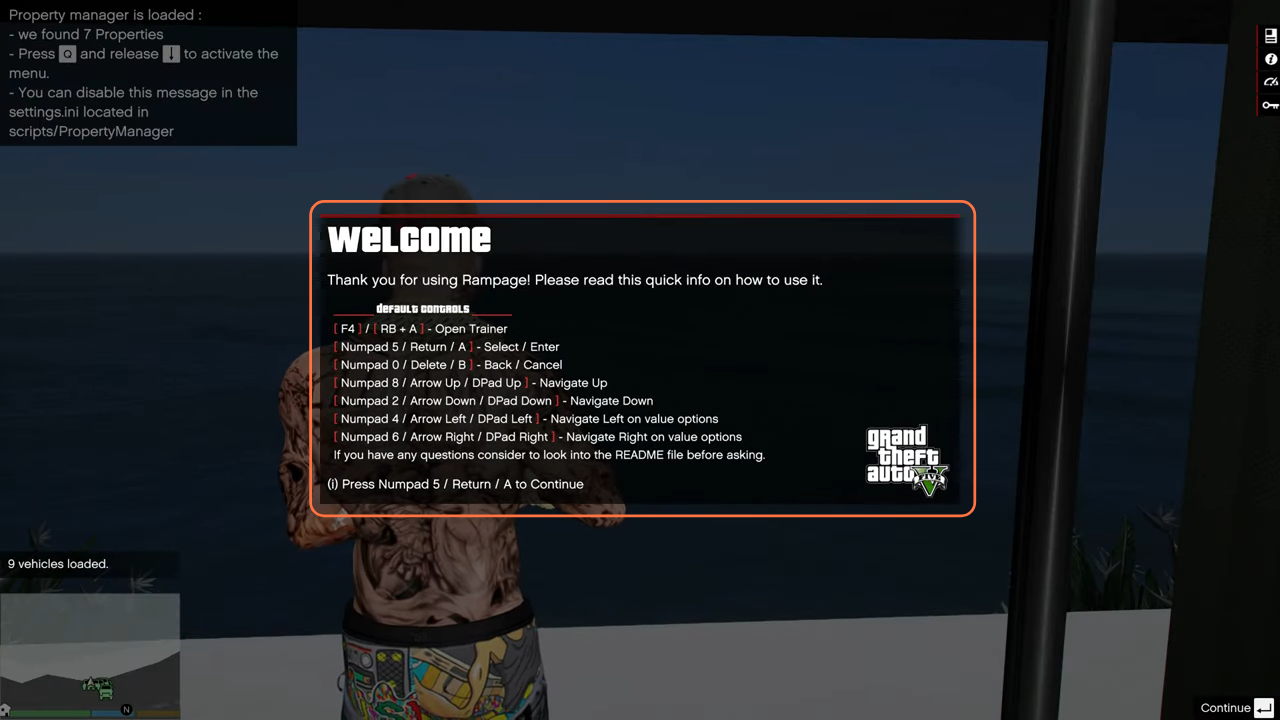
This guide will let you know how to install the Rampage Trainer for the GTA V game. The Trainer is designed exclusively for the GTA V Story Mode, this single-player trainer opens the door to a diverse array of unique and useful features. The Rampage Trainer offers a user-friendly interface and extensive range of functionalities…
-

How To Find Legacy Island In King Legacy
This guide will let you know how to find the Legacy Island in King Legacy. The first thing you need is a legacy pose because, if you do not has the pose you have to search the whole second sea. The legacy island/laugh tale spawns in a public server, not in any private server and…
-

Bardock BnB Combos & Basics Guide | DRAGON BALL FIGHTERZ
This guide will provide you with Bardock BnB combos and basics in Dragon Ball Fighterz Season 3.5. Every move Bardock has is safe on block unless stated otherwise. Bardock’s entire auto combo is a certified eSports classic, Big range and connects after a blocked super dash, while 5LL recenters the enemy on hit for easy…