
Category: Guides
-

How To Change Age on Roblox
In this guide, you will come to know the methods of how to change the age on a Roblox account. You just have to follow a few steps and you will be able to do that easily. Firstly, you have to go to the browser, search for roblox.com and simply Sign In to your account.…
-

Things You Didn’t Know About Axolotls in Minecraft
This guide will provide you with 18 things you didn’t know about Axolotls in Minecraft. When Fighting Axolotl does something super cute while fighting. Every time they get hit, there is a one in three chance they’ll play dead. They’ll drop to their side in the water and heal two hearts with regeneration, one for…
-

How to Do a Finishing Move in Cod Modern Warfare 2
This guide will let you know how to do a FINISHING MOVE in Call Of Duty MODERN WARFARE 2. The first thing you will need to do is boot up your game and then locate the button to bash. On your controller, press the right thumbstick and the R3 button. To perform this move, you…
-

Fix: Roblox Face Tracking Not Working Or Showing
This guide will help you to fix Roblox face tracking not working or showing errors. You have to verify your email address and phone number or enable Face Tracking to resolve the issue. Verify your Email address and Phone number In this section, we will take you through the steps to verify your email address…
-

Snow Runner – Controls Guide
Are you ready to take your driving experience to the next level? With SnowRunner, you’ll be able to drive powerful vehicles across an untamed open world. It features 40 vehicles from Chevrolet, Ford, and Freightliner. Get in the car and conquer the extreme open environments. In this guide, you’ll find all the Controls to play…
-

How to Install Show More Points of Interest Mod in Starfield
“Show More Points of Interest” mod expands the scanning area for identifying places of interest in Starfield. It provides improved visibility for locales in the game. To install the Show More Points of Interest mod in Starfield, follow these simple steps: First, download the Show More Points of Interest mod from the Nexus site. (You…
-

Genshin Impact Codes 2023 (Updated)
Genshin Impact is an action adventure game being released worldwide in 2020. The game is based in an fantasy open world named as “Teyvat”. The players need to make a team of four characters and they have the option to switch any of them during the battle. All the characters have got unique skills and…
-

Mega Champions Redeem Code 2023 (Updated)
Mega Champions is a role playing game being released in 2020. There are more than 60 playable heroes available in the game and they are divided into different factions. You have to pick up heroes and build your team to battle against the opponent forces. The skills and abilities of your heroes are upgradable. Even…
-

Best Way to Farm Iradite Quickly – Warframe
This guide will provide you with the best way to farm Iradite in Warframe. To make it way easier, you will need to equip loot collection mods such as: Loot detector aura. Max-level thief’s wit. Animal instinct. And other companion loot-detecting mods. You have to make sure that you’re in solo mode. Go to Cetus…
-
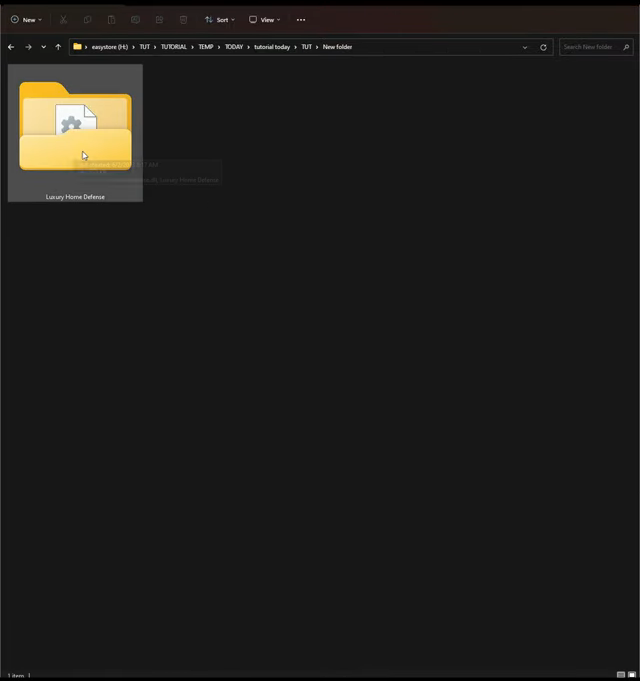
How to install Luxury Home Defense – GTA 5 MODS
The Luxury Home Defense mod for GTA 5 allows you to add bodyguards to your house to protect it from invaders. This mod introduces the ability to tailor the appearance, weaponry, and behavior of these defenders while strategically placing spawn points. This ensures swift and efficient protection against attackers, effectively transforming your in-game residence into…
-

How To Fix Vanguard Anti Cheat Error in Valorant
In this guide, you will get to know how to resolve the Vanguard Anti Cheat Error. You have to follow a fews steps in order to get rid of it. You can easily fix the Anti Cheat Error of Valorant. In order to do this, open your Task Manager. In the process tab try to…
-

How to Rent a Server at GPORTAL for Minecraft
This guide will let you know how to Rent a Server at GPORTAL for Minecraft. 1- First, you have to open the G-Portal and then click on the My server tab from the left side of your screen. You must click on the + button to add a new server. it will take a couple…
-

How to install Working Winch For All Vehicles in GTA 5
This guide will let you know how to install the Working Winch For All Vehicles mod in your GTA 5 game. 1. The first thing you will need to do is download the Working Winch For All Vehicles Mod from “https://www.gta5-mods.com/scripts/winch-for-all-vehicles“. Open the link and click on the green arrow icon for the current version…
-

How to View Hours Played per Game on Xbox Series X|S
To know how much time you’ve invested in your favorite Xbox games, follow these simple steps. It’s quite easy to track your playtime on the Series X or S. Step 1: Access Your Profile From the home screen, firstly, navigate to your profile icon. Step 2: Select ‘My Profile’ Choose “My Profile” from the options…
-

How to Install Fortnite On Mac
This guide will let you know how to play Fortnite on Mac. There are several methods to play this game on Mac. You have to follow the steps mentioned in those methods to play Fortnite on your Mac. Method 1: Cloud Gaming Cloud gaming offers a convenient way to play Fortnite on your Mac, regardless of…
-

Best Pokémon To Teach Strength
In this guide, you will learn about 15 Pokémon that are best for teaching your Pokémon strength. It will grow your pokemon stronger and you can defeat the powerful gym leaders.
-

How To Get Snake Man | King Legacy?
This guide will let you know how to get Snake Man in the King Piece game. For the Snake Man Quest, make your way to the Quarke Island/ Marineford and accept this quest. Then you have to go to Redbird. He is in Skypiea. He will give you a quest in return. White man quest.…
-

How to kill a Sim instantly (Cheat) – Sims 4
This guide will let you know how to kill a Sim instantly with the help of a cheat. You have to always type in “testingcheats true” before using a Sims 4 cheat. Step 1 To open the cheat box, you will need to press “ctrl +shift + c” or “command +shift + c”. Step 2…
-

How to Play Darts in GTA 5
This guide will let you know how to play darts in GTA 5 online. Go through the guide and follow all the instructions carefully to play darts. The board has two colors of slices, Black and White. The value of each slice is shown on top of it, as shown in the image below. There…
-
How to Fix Scary Teacher 3D App Not Working
The Scary Teacher 3D app may not be working because of some issues with your device or your internet connection. You have to follow all the instructions carefully to fix the error. 1. First, you will need to enter into the App info and choose to Force stop Scary Teacher 3D app. 2. Then open…