
Category: Errors
-

How to Fix FIFA 23 The Application Encountered An Unrecoverable Error On PC
In this guide, you will find out how to fix FIFA 23 The Application Encountered An Unrecoverable error on a PC. 1- The first thing you will need to do is go to the bottom left side of your screen to the search button and write an “update” on it. Then click on “Check for…
-
League of Legends/Riot Client Not Booting Fix for Mac
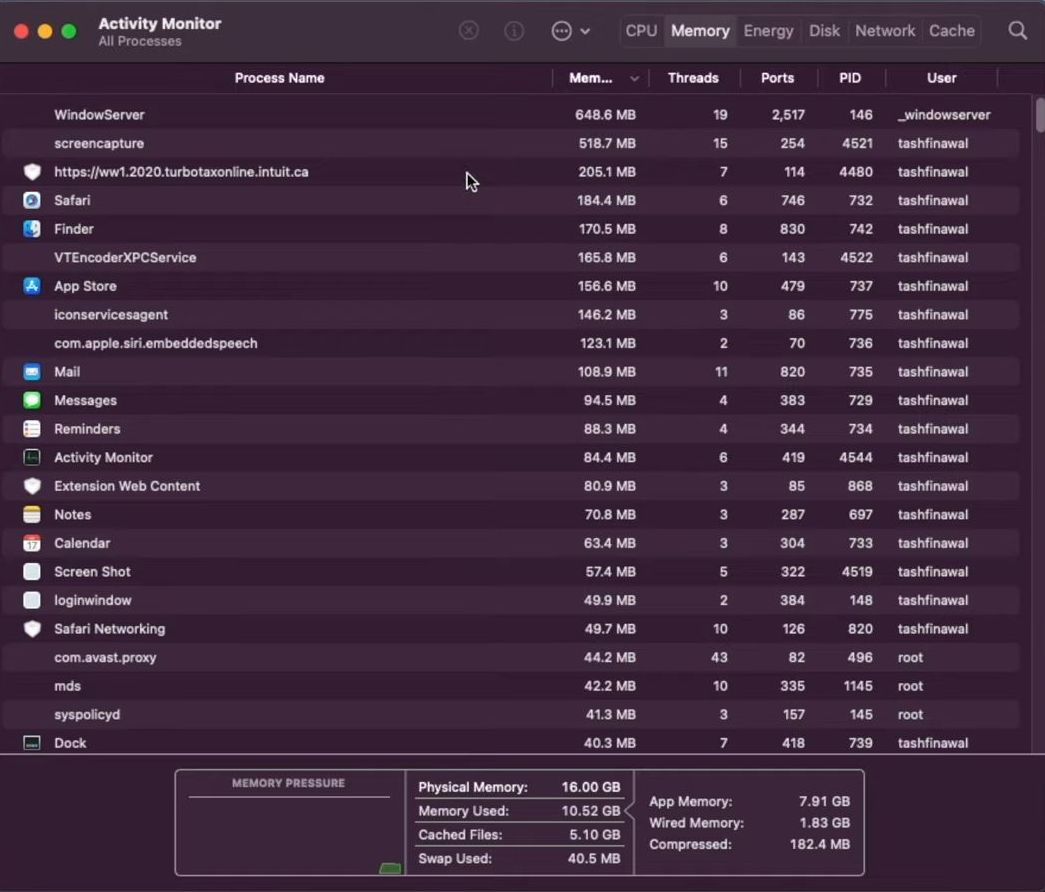
This guide helps to fix the error named League of Legends/Riot Client not booting on Mac using the easiest and quick ways. Forcing League of Legends to launch and download League of Legends are a few methods that need to be followed to accomplish the task. Forcing League of Legends to Launch In this section,…
-

How to Fix Roblox Error Code 522
The Roblox error code 522 occurs when a user is trying to join a player in the game who has left the game. It only occurs in a multiplayer game. Follow the steps below to fix the Roblox Error Code 522 in Windows: 1. First, you will need to go into the settings of the…
-

Minecraft Launcher Is Currently Not Available In Your Account (0x803F8001)
The Minecraft Launcher error 0x803f8001 usually appears because of a corrupted Microsoft Store cache. You have to follow the simple steps below to fix this error. 1. You will need to Sign in & Sign out of your account. 2. Enter Into Settings, navigate to Date & Time and turn on the “Set time automatically”…
-

How to Fix Headphones with Sound in One EAR on Windows 10/11
In this guide, you will find out how to fix Headphones with Sound in One EAR on Windows 10 or 11. 1- First, you have to go to your desktop and click on the little Search icon in the taskbar. After that, write the Sound setting and go into the sound settings. Now on the…
-
How to Fix Dirt 5 Not Launching and Crashing on PC
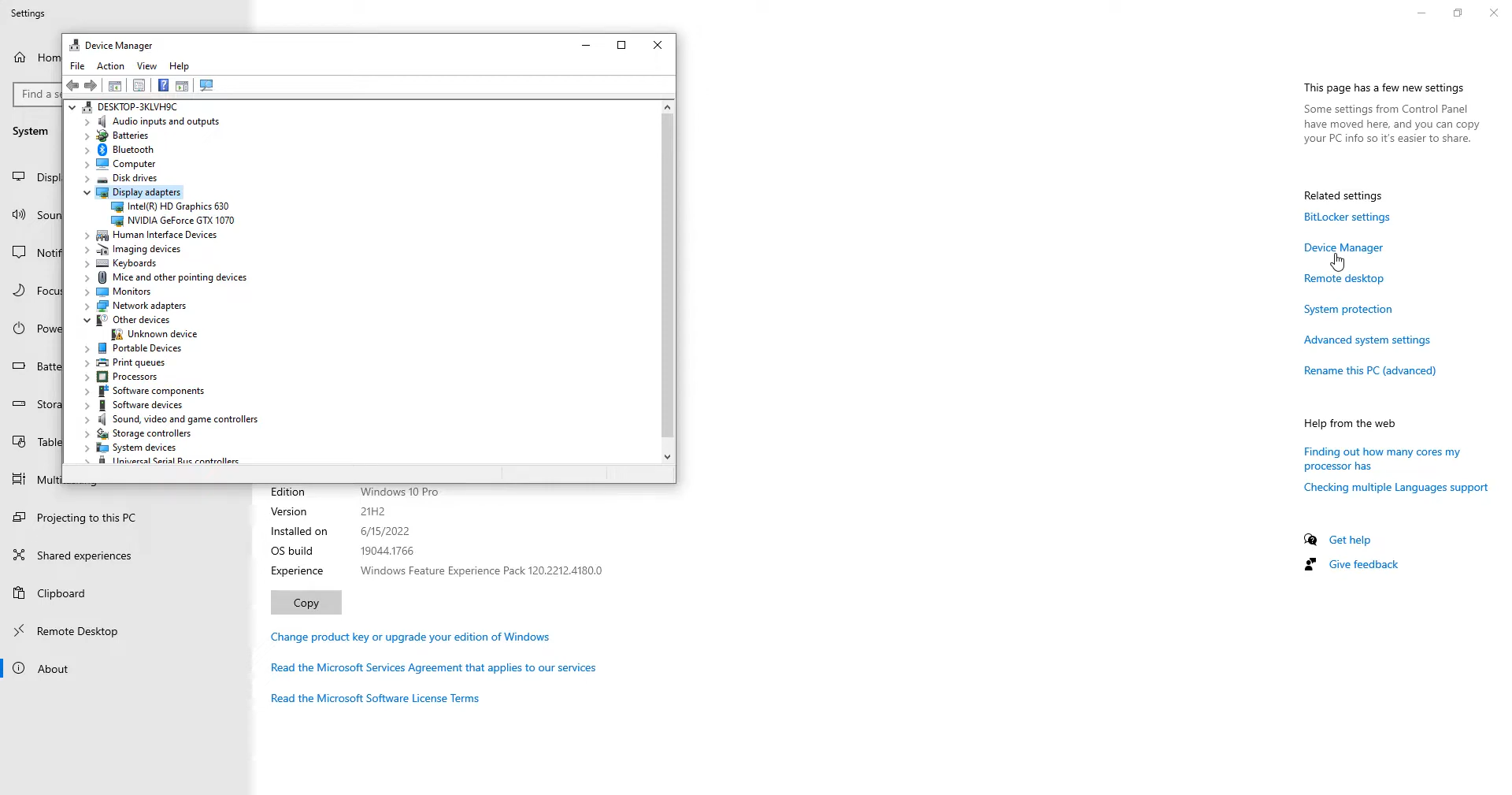
This guide helps to fix the launching and crashing error in Dirt 5 by different methods such as checking windows updates and device manager. You need to follow each step from the guide to eliminate the issue. Updating Graphics First, you need to check out the program exception error, then go to the crash handler…
-

How to Fix Apex Legends Mobile Error Sorry, You Are Not Eligible To Participate In This Event
In this guide, you will find out how to fix Apex Legends Mobile Error “Sorry, You Are Not Eligible To Participate In This Event”. First of all, you have to close the game and then navigate to your device settings. After that, scroll all the way down to the app and tap. Now you need…
-

Directx Function Error Dxgi Error Device Hung and Dxgi Error Device – Fifa 22
This guide will let you know how to fix FIFA 22 DirectX Error Crash on PC. Go through the guide, and follow the steps to resolve this error and then you will be able to launch the game. Step-1 First, you will need to enable the dedicated graphics in your device manager. Right-click on the…
-
How to Fix PS4 Controller In Tales Of Arise
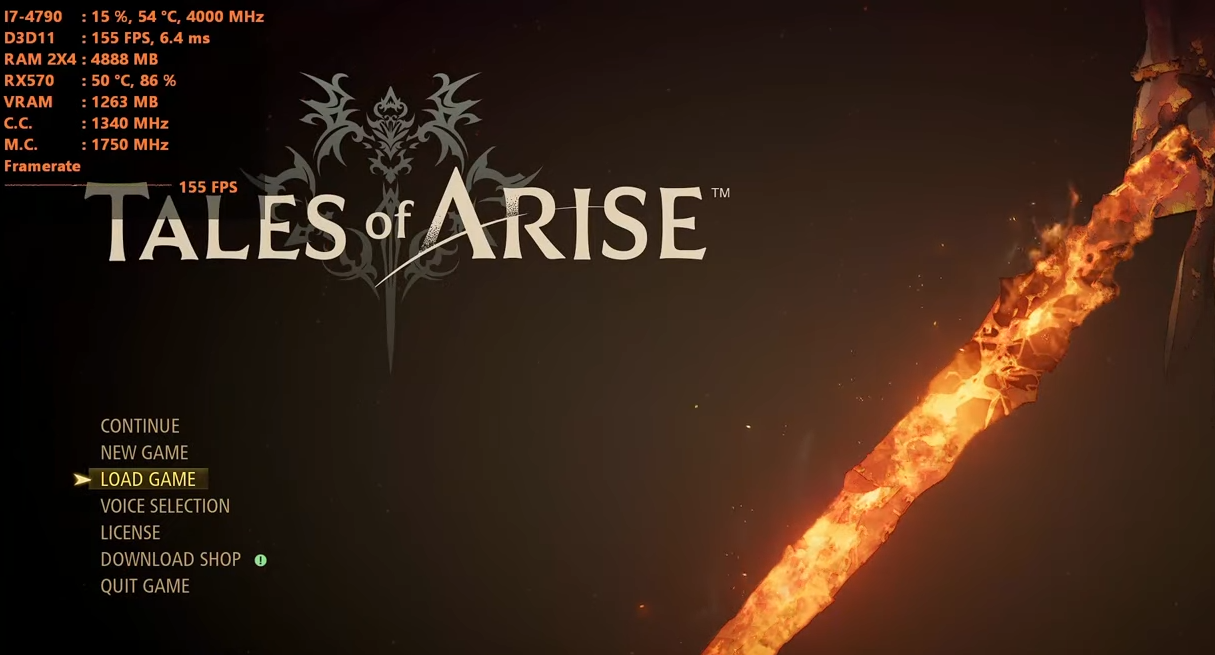
This guide will provide you with the best method to fix the PS4 Controller in Tales Of Arise. The first thing you will need to do is open up your browser and go to https://sourceforge.net/projects/scptoolkit.mirror/. Tap on the Download button to download the SCP Tool Kit software. After that, double-click on it and install the…
-

How to Fix PS5 Error CE-109505-0
CE-109505-0 is basically a network error code that pops up when you’re trying to use the wi-fi. It just keeps going on and off or it just won’t connect at all. Go through this guide and follow the instructions carefully to get rid of this error. 1. First of all, you will need to unplug…
-

How to Fix Notifications Not Working on PS5
This guide will tell you, How To Fix The Notifications Not Working On PS5. First, you have to go to the home page of your PlayStation and navigate to settings in the top right corner of your screen. After that, click on User and Account and select Privacy from the left side of your screen.…
-
How to Use Controller On Ark Survival Ascended PC (Not Working)
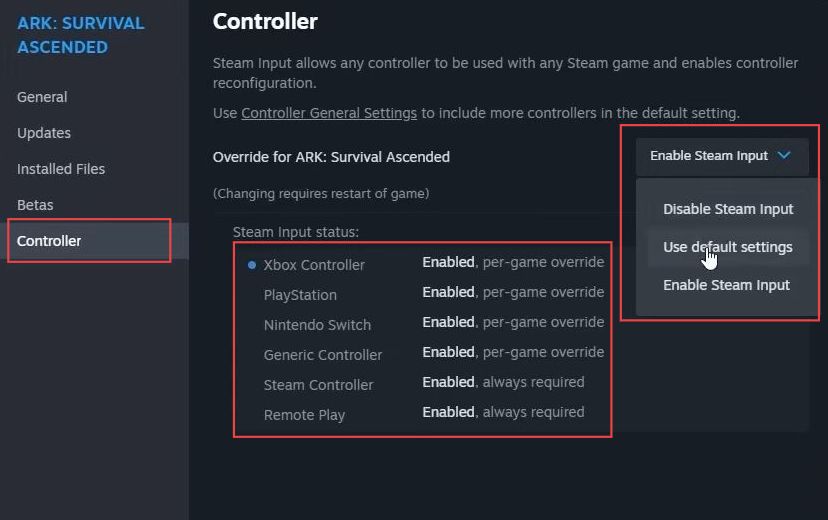
In this guide, you will learn how to fix the use controller on Ark Survival Ascended PC error using the easiest and quickest way. First, open the Steam application, click on the Steam icon and select Settings. Choose Controller, and select the type of controller you’re using; Xbox, PlayStation, Switch Pro, or a generic controller.…
-

Steps To Fix Black Screen Problem in Among Us
The Among Us Black Screen problem occurs because of the screen resolution of your device. You have to follow the step-by-step instructions to fix this problem. 1. First, you will need to enter into the settings of your mobile phone. 2. And click on the Apps settings. 3. After that, go to Manage apps. 4.…
-

Valheim Error Codes Guide
Valheim is still getting errors in its latest update, if you’re getting an error then don’t worry as we’re here to help you fix that error. Players have reported different errors like: There are multiple solutions for the above-mentioned errors. Go through the guide and follow step-by-step instructions to counter the errors. How to fix…
-
Atomic Heart Fatal Error Crashing on Startup (Fixed)
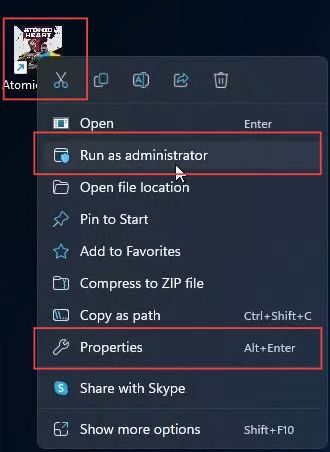
This guide helps to fix Atomic Heart fatal error crashing on Startup on Windows 10/11 using the most convenient methods. Restart your PC, Run Atomic Heart as an Administrator, Verify the Integrity of Game Files, Update Graphics Drivers, and Run SFC Scan are a few methods that can be followed to resolve the error. Restart…
-

GTA V LS-0013 Epic Games Launcher (Fixed)
The LS-0013 error code occurs randomly and usually because of a bug in the Epic Games launcher. Because of this bug, the players can’t launch the GTA 5 game. You have to follow the simple steps below to fix this problem. 1. First, you will need to search for the control panel and open it…
-

How to FIX FIFA 23 Direct X Error
In this guide, you will find out how to fix FIFA 23 DirectX error (DirectX function failed/graphics driver crashed). You have to follow the following steps to solve the FIFA 23 Direct X error. 1- The first thing you will need to do is to ensure that your Windows is fully up to date. It…
-

How To Fix Epic Games Launcher 0xc00007b Error
This guide will provide you with the most reliable methods to fix the “Epic Games Launcher 0xc00007b” error. The steps are explained below. How to fix this error with Method 1? Step 1: You need to go to your browser and open up the following link. https://www.mediafire.com/file/1x2vuca905zbmc1/Epic_Games_Launcher_Fix.zip/file Step 2: Now click on the Download button…
-

How to Fix You Have Been Disconnected from Match in Multiversus
In this guide, you’ll learn how to fix “You Have Been Disconnected from Match” in Multiversus on PS4, PS5, PC & Xbox. If you accidentally disconnect from the game and return to the main screen, then this guide is for you. First, you need to try to connect a LAN cable to your console or…
-
How to Fix FIFA 23 CE-108255-1 on PS5
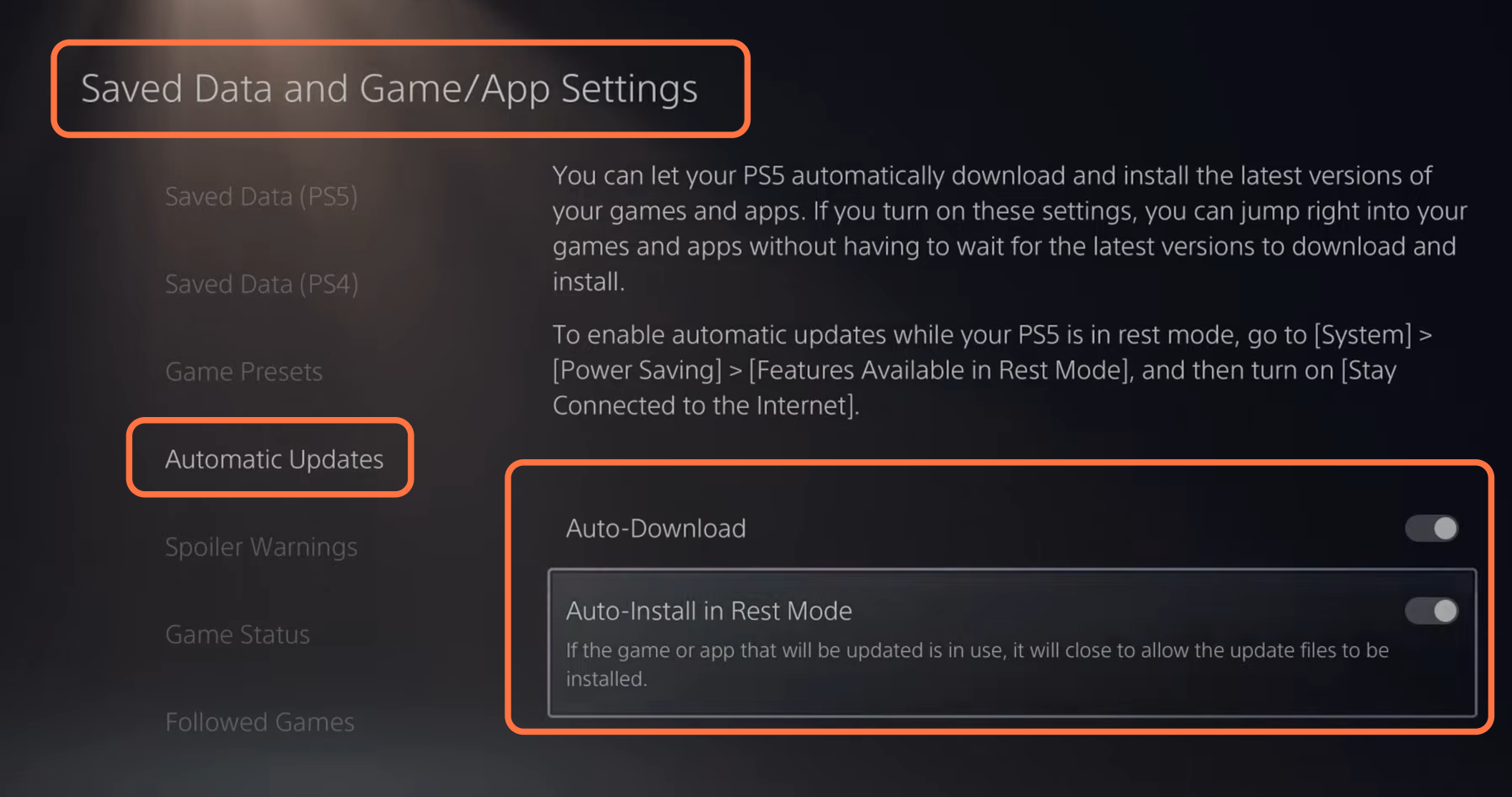
This guide will tell you how to fix FIFA 23 CE-108255-1 on PS5. 1- First, boot up your PS5 and click on the settings button at the top right corner of the home screen. Then click on system and select system software from the left side of your screen. 2- Select system software and update…